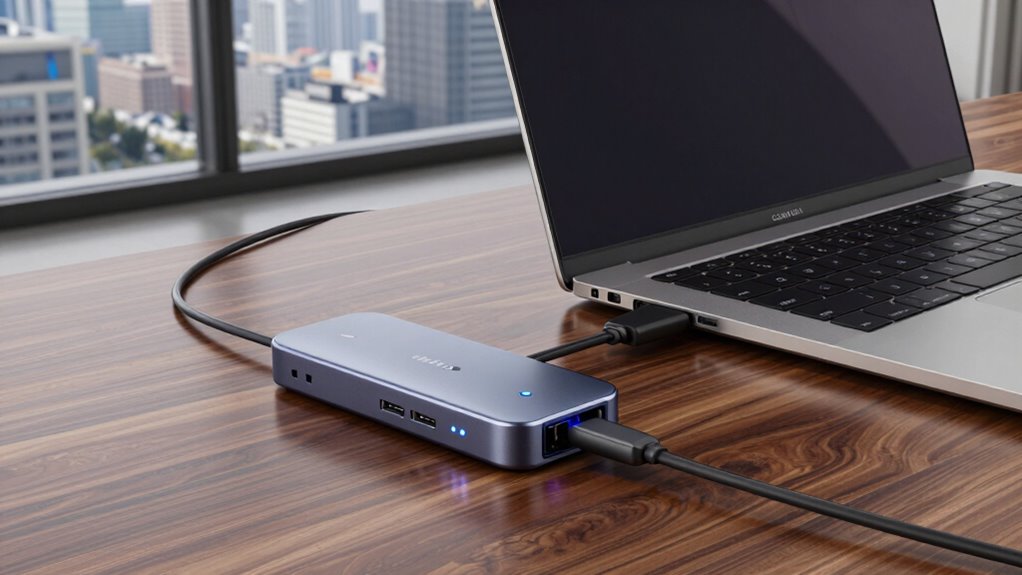

When searching for the best Thunderbolt Docks 3, you want a device that balances fast data transfer, multiple ports, and reliable power delivery. The Belkin Thunderbolt 3 Dock Pro stands out as the top overall pick for its comprehensive port selection and robust build quality. The OWC Thunderbolt Hub offers excellent expandability for professional setups, while the Plugable Thunderbolt 4 Dock emphasizes fast charging and dual 4K support. Buyers face tradeoffs between port variety, power capacity, and size—often, sacrificing one for another. Keep reading for a detailed breakdown to find the best fit for your needs.
Listen free for 30 days with Audible
Thousands of audiobooks and originals — cancel anytime.
Start your free trialAs an affiliate, we earn on qualifying purchases.
Key Takeaways
- The top docks balance port count, data transfer speed, and power delivery, with the Belkin Thunderbolt 3 Dock Pro leading overall.
- Many options offer dual 4K support, but not all deliver sufficient power for high-demand devices without extra adapters.
- Size and portability vary widely; compact docks are ideal for travel, while larger models often include more ports and features.
- Thunderbolt 4 docks tend to be more future-proof but can come at a premium compared to Thunderbolt 3 counterparts.
- Build quality and warranty support are key considerations that distinguish premium options from budget alternatives.
| Belkin Thunderbolt 3 Dock Core with Thunderbolt 3 Cable – 7-in-1 USB-C Hub and Docking Station for Mac & Windows |  | Best Overall for Versatile Connectivity | Ports: 7 (DisplayPort, HDMI, Gigabit Ethernet, Thunderbolt, USB-A, USB-C, Audio) | Upstream Charging: Yes | Monitor Support: Dual 4K | VIEW ON AMAZON | See Our Full Breakdown |
| UGREEN 8-in-1 Thunderbolt 4 Docking Station, Dual 4K@60Hz, 3xTBT4, 40Gbps |  | Best for High-Performance Dual Display and Data Transfer | Number of Ports: 8 | Thunderbolt 4 Ports: 3 | USB A 3.2 Ports: 3 | VIEW ON AMAZON | See Our Full Breakdown |
| OWC Thunderbolt Hub 5-Port Connectivity Solution |  | Best for Compact Multi-Device Expansion | Ports: 4 Thunderbolt 4, 1 USB-A | VIEW ON AMAZON | See Our Full Breakdown | ||
| OWC 11-Port Thunderbolt Dock for Mac and PC with 96W Power Delivery |  | Best for Extensive Connectivity with Power Delivery | Power Delivery: 96W to host, 15W to device | Display Support: Up to 8K @ 60Hz or 4K @ 120Hz | Ports: Multiple including USB 3.2, Ethernet, SD card reader | VIEW ON AMAZON | See Our Full Breakdown |
| Belkin Thunderbolt 3 Dock Pro with 2.6 ft Thunderbolt 3 Cable |  | Best for High-Speed Dual 4K Display and Power | Cable Length: 2.6 ft | Transfer Speed: 40 Gbps | Display Support: Dual 4K @ 60Hz | VIEW ON AMAZON | See Our Full Breakdown |
| Plugable Thunderbolt 4 Dock with 100W Charging and Dual 4K Support |  | Best Overall Thunderbolt Dock for Power and Versatility | Power Delivery: 100W | Display Support: Dual 4K 60Hz or single 8K | Ports: 2× HDMI, 1× Thunderbolt 4, 4× USB, 1× USB-C, SD/microSD, audio jack, Ethernet, K-lock slot | VIEW ON AMAZON | See Our Full Breakdown |
| Belkin Thunderbolt 3 Dock Plus with 2.6ft Thunderbolt 3 Cable (Renewed) |  | Best Value for Dual 4K Display Support and Data Speed | Hardware Interface: Thunderbolt | Total USB Ports: 3 | Wattage: 60W | VIEW ON AMAZON | See Our Full Breakdown |
| Lenovo ThinkPad Thunderbolt 3 Dock Gen 2 135W (40AN0135US) |  | Best for ThinkPad Users Needing Compatibility and Power | Ports: 2x HDMI, 2x DisplayPort, 1x USB-C, 4x USB 3.1, Ethernet, Audio | Power: 135W | Compatibility: ThinkPad models, Windows 7/10 | VIEW ON AMAZON | See Our Full Breakdown |
| Belkin Thunderbolt 3 Docking Station + TB Cable 0.8M |  | Best for Flexible Multi-Device Connectivity and Charging | Ports: 12 | Thunderbolt Version: 3 | Power Supply: 170W | VIEW ON AMAZON | See Our Full Breakdown |
| Belkin Thunderbolt 3 Dock Mini HD with Cable – USB-C Hub and Docking Station for MacOS & Windows |  | Best Compact Dock for Portability and Dual 4K Support | VIEW ON AMAZON | See Our Full Breakdown |
| thunderbolt docks 3 | Ports |
|---|---|
| Belkin Thunderbolt 3 Dock Core | 7 (DisplayPort, HDMI, Gigabit Ethernet, Thunderbolt, USB-A, USB-C, Audio) |
| UGREEN 8-in-1 Thunderbolt 4 Do | — |
| OWC Thunderbolt Hub 5-Port Con | 4 Thunderbolt 4, 1 USB-A |
| OWC 11-Port Thunderbolt Dock f | Multiple including USB 3.2, Ethernet, SD card reader |
| Belkin Thunderbolt 3 Dock Pro | — |
| Plugable Thunderbolt 4 Dock wi | 2× HDMI, 1× Thunderbolt 4, 4× USB, 1× USB-C, SD/microSD, audio jack, Ethernet, K-lock slot |
| Belkin Thunderbolt 3 Dock Plus | — |
| Lenovo ThinkPad Thunderbolt 3 | 2x HDMI, 2x DisplayPort, 1x USB-C, 4x USB 3.1, Ethernet, Audio |
| Belkin Thunderbolt 3 Docking S | 12 |
| Belkin Thunderbolt 3 Dock Mini | — |
More Details on Our Top Picks
Belkin Thunderbolt 3 Dock Core with Thunderbolt 3 Cable – 7-in-1 USB-C Hub and Docking Station for Mac & Windows
The Belkin Thunderbolt 3 Dock Core stands out as the most balanced option for users needing reliable dual 4K display support and extensive port variety. Compared with the Belkin Thunderbolt 3 Dock Pro, it offers fewer ports but at a more accessible price point, making it suitable for those with moderate expansion needs. Its dual 4K monitor support and upstream charging provide a seamless desk setup, yet the short 20 cm Thunderbolt cable may limit placement flexibility and could require an extension. While it doesn’t include an external power supply, its built-in charging capabilities reduce clutter. Overall, this dock suits users seeking a straightforward, versatile solution that works well with both Mac and Windows systems, provided they have compatible devices.
Pros:- Supports dual 4K monitors for crisp visuals
- Includes a Thunderbolt cable for quick setup
- Upstream charging reduces cable clutter
- Multiple ports for versatile connectivity
Cons:- Limited to Thunderbolt 3 compatible devices
- Short cable length may restrict placement
- No external power adapter included
Best for: Creators or professionals who want a reliable, compact dock with dual 4K support and multiple ports without a high price tag
Not ideal for: Power users needing extensive ports or dedicated power supplies, or those with larger workstations requiring longer cable runs
- Ports:7 (DisplayPort, HDMI, Gigabit Ethernet, Thunderbolt, USB-A, USB-C, Audio)
- Upstream Charging:Yes
- Monitor Support:Dual 4K
- Cable Included:Thunderbolt cable (20 cm)
Our verdict“This dock is ideal for users who want a compact, affordable Thunderbolt 3 solution with dual 4K support and straightforward connectivity.”
UGREEN 8-in-1 Thunderbolt 4 Docking Station, Dual 4K@60Hz, 3xTBT4, 40Gbps
The UGREEN Thunderbolt 4 Dock excels in supporting demanding workflows, with three Thunderbolt 4 ports and the ability to drive dual 4K displays at 60Hz or an 8K display. Its 40Gbps transfer speed outperforms many competitors, making it ideal for creative professionals needing fast data transfer alongside multiple high-res displays. Unlike the OWC 11-Port Dock, it offers fewer ports but focuses on raw performance and port versatility. The 85W charging supports most laptops, yet full display support depends on the host device’s capabilities and compatibility. Its reliance on connecting to the included charger ensures maximum performance, which might be inconvenient for portable setups. This dock suits those who prioritize speed and dual display support over extensive port variety.
Pros:- Supports dual 4K@60Hz displays seamlessly
- High-speed data transfer up to 40Gbps
- Provides up to 85W charging for laptops
- Multiple Thunderbolt 4 ports for expansion
Cons:- Full display support depends on host device compatibility
- Requires connection to the included charger for full functionality
- Compatibility issues may arise with older USB-C devices
Best for: Power users needing fast data throughput and dual 4K displays, especially in creative and professional environments
Not ideal for: Users with older or non-standard USB-C devices, or those seeking a large number of ports for peripheral expansion
- Number of Ports:8
- Thunderbolt 4 Ports:3
- USB A 3.2 Ports:3
- Ethernet:Gigabit
- Power Delivery:85W
- Display Support:Dual 4K@60Hz or Single 8K
Our verdict“This dock is perfect for demanding professional workflows that require high-speed data transfer and dual 4K display support, but it’s less suited for casual or legacy device users.”
OWC Thunderbolt Hub 5-Port Connectivity Solution
The OWC Thunderbolt Hub offers a straightforward, highly portable way to expand connectivity with four Thunderbolt 4 ports and a single USB-A port. Its compact design makes it suitable for users who prioritize mobility or need high-speed ports on the go. Compared to the larger OWC 11-Port Dock, this hub sacrifices port variety for simplicity and size, making it less ideal for users with many peripherals. The lack of explicit power delivery support limits its use for powering laptops or peripherals directly. This makes it a good choice for users who mainly need to connect Thunderbolt devices and a few USB peripherals without requiring additional charging features.
Pros:- Multiple high-speed Thunderbolt 4 ports
- Compact and highly portable design
- Easy to expand device connectivity
Cons:- Limited to Thunderbolt and USB-A devices
- No power delivery support
- Fewer ports overall compared to larger docks
Best for: Travelers or professionals who need a lightweight, high-speed port hub for connecting Thunderbolt and USB-A devices on the move
Not ideal for: Power users needing multiple ports or integrated charging capabilities, or those with many peripherals requiring power delivery
- Ports:4 Thunderbolt 4, 1 USB-A
Our verdict“This hub is suited for mobile users who need reliable Thunderbolt expansion without the bulk of larger docks, but it’s not meant for charging or extensive peripherals.”
OWC 11-Port Thunderbolt Dock for Mac and PC with 96W Power Delivery
The OWC 11-Port Thunderbolt Dock offers a comprehensive array of ports, including multiple USB, Ethernet, SD card reader, and audio, making it ideal for users with a broad range of peripherals. Its support for dual 8K or 4K displays and 96W power delivery makes it a robust choice for demanding setups. However, the extensive port complement can make it larger and more expensive, and display support may vary depending on the host computer’s graphics capabilities. Compared to the Belkin Thunderbolt 3 Dock Core, it provides more ports but at a higher cost and size. This dock is best suited for power users who need maximum connectivity and high-resolution display support in a single device.
Pros:- Supports up to 8K display resolution
- Multiple versatile ports including SD card reader and Ethernet
- Provides 96W power delivery for fast charging
- Compatible across multiple operating systems
Cons:- Larger and heavier than simpler docks
- Display support depends on host graphics capabilities
- Higher price point
Best for: Creative professionals or power users requiring extensive peripheral connections and high-resolution display support
Not ideal for: Users with limited space or those on a tight budget, as it is larger and more costly than simpler docks
- Power Delivery:96W to host, 15W to device
- Display Support:Up to 8K @ 60Hz or 4K @ 120Hz
- Ports:Multiple including USB 3.2, Ethernet, SD card reader
- Compatibility:Thunderbolt 4, Thunderbolt 3, USB4, USB-C
Our verdict“This dock is designed for users who need maximum port options and high-resolution output in a single, reliable package, though it comes with increased size and cost.”
Belkin Thunderbolt 3 Dock Pro with 2.6 ft Thunderbolt 3 Cable
The Belkin Thunderbolt 3 Dock Pro offers a compelling combination of high data transfer speeds and dual 4K display support. Its 40 Gbps transfer rate surpasses some competitors, making it a suitable choice for data-intensive tasks. The 85W upstream charging ensures your laptop stays powered, similar to the Belkin Thunderbolt 3 Dock Core, but with a longer 2.6 ft cable that provides more flexibility for desktop setups. Its premium build and fast speeds come at a higher cost, and compatibility is limited to Thunderbolt 3 ports. This dock is well-suited for professionals who need robust performance, especially when working with large files or multiple high-res displays, but may be overkill for casual users.
Pros:- Supports dual 4K displays at 60Hz for high-quality visuals
- Ultra-fast data transfer speeds up to 40 Gbps
- Provides 85W upstream charging
- Longer cable length for flexible setup
Cons:- Requires Thunderbolt 3 port, limiting compatibility
- Relatively expensive compared to simpler docks
- Cable length may still be short for some configurations
Best for: Professionals who need fast data transfer and dual 4K support, especially for media editing or large file transfers
Not ideal for: Casual users or those with older Thunderbolt 2 or USB-C laptops without Thunderbolt 3 ports
- Cable Length:2.6 ft
- Transfer Speed:40 Gbps
- Display Support:Dual 4K @ 60Hz
- Upstream Charging:85 W
Our verdict“This dock is ideal for professionals needing fast data speeds and dual 4K display support, with a longer cable for flexible desktop arrangements.”
Plugable Thunderbolt 4 Dock with 100W Charging and Dual 4K Support
This dock stands out for its high-speed 40Gbps performance, comprehensive port selection, and robust 100W charging — making it a top choice for demanding home or office setups. Unlike the Belkin Thunderbolt 3 Dock Plus, it supports dual 4K displays or an 8K single display, offering more display flexibility with Thunderbolt 4’s enhanced capabilities. However, dual display support can vary depending on the system, and some Mac users may find certain features limited on older models. Its combination of multiple video outputs, fast data transfer, and power delivery makes it highly adaptable, though full performance requires compatible Thunderbolt 4 or USB4 hardware. This dock suits power users who need maximum throughput and multiple peripherals in a single device.Pros:- 40Gbps Thunderbolt 4 performance for rapid data transfer
- Supports dual 4K 60Hz displays or an 8K display
- 13 versatile ports including HDMI, Ethernet, SD card reader
- Powerful 100W charging for laptops and peripherals
Cons:- Dual display support depends on system compatibility
- Requires Thunderbolt 4 or USB4 support for full features
Best for: Power users needing high-speed data transfer, dual 4K displays, and comprehensive port options for a professional workstation.
Not ideal for: Users with older Macs or systems not supporting Thunderbolt 4/USB4, as full functionality may be limited.
- Power Delivery:100W
- Display Support:Dual 4K 60Hz or single 8K
- Ports:2× HDMI, 1× Thunderbolt 4, 4× USB, 1× USB-C, SD/microSD, audio jack, Ethernet, K-lock slot
- Performance:40Gbps Thunderbolt 4
Our verdict“This dock excels for tech-savvy professionals who demand maximum connectivity, power, and display support in a single Thunderbolt 4 device.”
Belkin Thunderbolt 3 Dock Plus with 2.6ft Thunderbolt 3 Cable (Renewed)
This dock provides solid dual 4K 60Hz display support, fast 40Gbps transfer speeds, and 60W charging, making it an appealing choice for users looking for dependable performance at a lower cost. Compared to the Plugable Thunderbolt 4 Dock, it is limited to Thunderbolt 3, which could reduce future-proofing and max transfer speeds. Its shorter cable length of 2.6 feet may restrict desk placement, and being a renewed product introduces some uncertainty about warranty or condition. Still, it offers a compact, all-in-one solution for those who prioritize dual 4K visuals and reliable data transfer without the latest Thunderbolt 4 features. This makes it ideal for budget-conscious professionals with compatible systems.Pros:- Supports dual 4K displays at 60Hz for crisp visuals
- Fast 40Gbps data transfer speeds
- Provides 60W upstream charging for devices
Cons:- Renewed product may have warranty or condition concerns
- Limited to Thunderbolt 3, not future-proof with Thunderbolt 4
Best for: Users seeking a reliable, dual 4K dock with fast data transfer that is budget-friendly and compatible with Thunderbolt 3 laptops.
Not ideal for: Mac users on older systems or those wanting Thunderbolt 4 support, as it is limited to Thunderbolt 3 and may have condition issues due to being renewed.
- Hardware Interface:Thunderbolt
- Total USB Ports:3
- Wattage:60W
- Monitor Support:Dual 4K
Our verdict“This dock offers a balanced mix of display support and speed for budget-conscious users with Thunderbolt 3 systems.”
Lenovo ThinkPad Thunderbolt 3 Dock Gen 2 135W (40AN0135US)
This dock excels at supporting multiple dual 4K displays with HDMI, DisplayPort, and USB-C outputs, and offers a hefty 135W power supply to keep ThinkPads charged during intensive use. Its wide compatibility with various ThinkPad models makes it a dependable choice for business users. Compared with the Belkin Thunderbolt 3 Dock Plus, it is tailored specifically for ThinkPad devices, which can limit flexibility for other systems. The requirement for specific OS versions and the need to purchase separate cables or power adapters also add complexity. Despite these tradeoffs, its robust port selection and high power delivery make it ideal for enterprise environments or dedicated ThinkPad workflows.Pros:- Supports dual 4K display output for high-resolution productivity
- Multiple ports including HDMI, DisplayPort, and USB 3.1
- 135W power supply keeps devices fully charged
Cons:- Requires specific Windows OS versions; limited Mac support
- Power adapter and cables sold separately
Best for: ThinkPad users and enterprise clients who need reliable dual 4K support with high power input and broad device compatibility.
Not ideal for: Non-ThinkPad users or those with newer Thunderbolt 4 systems, as it is designed primarily for specific Lenovo models and Windows OS.
- Ports:2x HDMI, 2x DisplayPort, 1x USB-C, 4x USB 3.1, Ethernet, Audio
- Power:135W
- Compatibility:ThinkPad models, Windows 7/10
Our verdict“This dock is best suited for business users with ThinkPad laptops seeking reliable display and power support in a secure, enterprise-ready package.”
Belkin Thunderbolt 3 Docking Station + TB Cable 0.8M
Offering a broad array of ports, support for dual 4K monitors, and up to 85W charging, this dock provides a versatile setup suitable for busy workstations. The inclusion of a 0.8m cable offers flexible placement but may be restrictive for larger desks. Its 12 ports include multiple USB-A, USB-C, Ethernet, and SD slots, making it ideal for users with many peripherals. Compared to the smaller Belkin Thunderbolt 3 Dock Mini HD, it provides more ports and higher power output, but at a higher cost and bulkier footprint. The dock’s high compatibility with Thunderbolt 3 systems makes it a flexible choice for mixed device environments, though the cable length could be limiting for some users.Pros:- Supports dual 4K monitors at 60Hz for crisp visuals
- Charges laptops with up to 85W power delivery
- Multiple ports including Ethernet, SD, and USB arrays
- Includes a 0.8m Thunderbolt cable for flexible setup
Cons:- Relatively high cost compared to simpler hubs
- Cable length may limit placement options
Best for: Professionals needing multiple peripherals, dual 4K display support, and high charging capacity in a single, flexible dock.
Not ideal for: Users with very limited space or those who need a more portable, lightweight solution, due to its size and cable length.
- Ports:12
- Thunderbolt Version:3
- Power Supply:170W
- Power Output:Up to 85W
- Monitor Support:Dual 4K
- Cable Length:0.8m
Our verdict“This dock is an excellent choice for users who need extensive port variety and high power delivery in a flexible, multi-device setup.”
Belkin Thunderbolt 3 Dock Mini HD with Cable – USB-C Hub and Docking Station for MacOS & Windows
Designed for portability, this compact dock offers dual 4K display support, Ethernet, and multiple ports all accessible via a single Thunderbolt 3 cable. Its small size makes it ideal for users who need a portable setup for travel or limited desk space. Compared with larger docks like the Belkin Thunderbolt 3 Docking Station + TB Cable, it sacrifices some ports and power delivery (up to 60W), which might be limiting for power users. Its short cable (6.8 inches) can restrict placement options, but the simplicity and portability make it perfect for on-the-go professionals or those with minimal space requirements. This product suits users who prioritize mobility over expandability.Pros:- Supports dual 4K displays at 60Hz for sharp visuals
- Single Thunderbolt 3 cable simplifies connection
- Compact, lightweight, easy to carry
Cons:- Limited cable length restricts placement
- Lower power delivery at 60W may not charge high-power laptops fully
Best for: Travelers or remote workers needing a portable, dual 4K monitor-capable dock with minimal setup footprint.
Not ideal for: Power users requiring extensive peripherals or higher charging wattage, as it provides only up to 60W and limited ports.
Our verdict“This dock is perfect for portable professionals who need reliable dual 4K support with minimal bulk, accepting some limitations on power and port count.”

How We Picked
Our evaluation focused on performance, versatility, build quality, and value for money. We examined port variety, data transfer speeds, power delivery capacity, and compatibility with Mac and Windows systems. Docks that offered reliable, consistent performance in real-world use earned higher scores. We also prioritized products with durable construction and manufacturer support, as these offer better longevity and peace of mind. Our ranking reflects a balance between features and price, ensuring options for different budgets and needs.
Factors to Consider When Choosing Thunderbolt Docks 3
Choosing the right Thunderbolt Docks 3 involves considering several factors to match your specific workflow and device ecosystem. Understanding what features matter most can help you avoid overspending or ending up with a dock that doesn’t support your setup. Here are key considerations to guide your decision:Port Selection and Compatibility
Assess how many and what types of ports you need—USB-C, USB-A, HDMI, SD card slots, Ethernet, etc. More ports provide flexibility but can increase size and cost. Compatibility with your devices, especially if you’re using Mac or Windows, is crucial to avoid connectivity issues. Make sure the dock supports your specific Thunderbolt version and display resolutions to maximize performance.
Power Delivery Capacity
Power delivery determines how much charging capability the dock provides to your laptop and peripherals. Docks with 85W or more are better suited for high-performance laptops that require substantial power. Be cautious of docks with lower wattage if you have power-hungry devices, as they may need additional chargers or adapters, complicating your setup.
Size, Portability, and Build Quality
If you travel frequently, a compact, lightweight dock makes a significant difference. Conversely, larger docks often incorporate more ports and better cooling but are less portable. Durability matters too—look for sturdy construction and reliable materials, especially if you plan to move the dock often or use it in demanding environments.
Future-Proofing and Compatibility
While Thunderbolt 3 remains widely supported, Thunderbolt 4 offers enhanced compatibility and features, like daisy-chaining and backward compatibility. Investing in Thunderbolt 4 docks might be worthwhile if you plan to keep your setup for years, but they tend to cost more. Consider your future needs and device ecosystem to choose a dock that won’t quickly become obsolete.
Price and Warranty
Quality comes at a price, but not all expensive docks are necessary for every user. Balance your budget with the features you need most. Also, check warranty and support options—brands offering longer warranties and responsive support can save headaches down the line if issues arise. Remember, a well-supported product can be more cost-effective over its lifespan.
Frequently Asked Questions
Can I use a Thunderbolt 3 dock with a Thunderbolt 4 port?
Yes, Thunderbolt 4 ports are backward compatible with Thunderbolt 3 docks, so you can connect a Thunderbolt 3 dock to a Thunderbolt 4 port without issues. However, you won’t gain additional Thunderbolt 4-specific features unless the dock itself supports Thunderbolt 4. Always verify compatibility with your device specifications to ensure optimal performance.
Will a Thunderbolt 3 dock charge my laptop as well?
Many Thunderbolt 3 docks include Power Delivery (PD) capabilities, allowing them to charge your laptop while connected. The charging wattage varies—some offer up to 85W, suitable for most ultrabooks, but high-performance gaming or workstation laptops may need more. Always check the dock’s PD wattage to ensure it meets your device’s power requirements.
What should I do if my monitor isn’t recognized through the dock?
First, confirm that your monitor’s resolution and refresh rate are supported by the dock and the connected cable. Update your device drivers and firmware if available. Check the dock’s specifications for supported display resolutions and ensure you’re using compatible cables. If problems persist, testing with a different cable or port can help identify the issue.
Are Thunderbolt docks safe for long-term use?
Yes, reputable Thunderbolt docks with quality build materials are designed for long-term use. Look for models with good thermal management and solid construction to prevent overheating or physical damage. Proper cable management and avoiding excessive bending also extend the lifespan of your dock, ensuring consistent performance over years.
Should I prioritize port count or speed when choosing a dock?
It depends on your specific needs. If you require multiple peripherals, a dock with higher port count is advantageous. However, if you often transfer large files or use high-resolution displays, prioritize data transfer speed and supported resolution. Balancing both factors according to your workflow ensures you get the best value without sacrificing critical features.
Conclusion
For general users seeking reliable, all-around performance, the Belkin Thunderbolt 3 Dock Pro offers excellent versatility and build quality. If you prioritize value and expandability, the OWC Thunderbolt Hub provides multiple ports with solid performance at a reasonable price. Professionals needing high power delivery and multiple displays might find the Lenovo ThinkPad Thunderbolt 3 Dock Gen 2 or premium Belkin options better suited. Beginners or casual users should look for more compact, straightforward docks, while advanced users should consider Thunderbolt 4 options for future-proofing. Each choice aligns with different priorities, making it easier to select a dock tailored to your setup.
As an affiliate, we earn on qualifying purchases.Fall yard work Picks
leaf blowers