

Home labs are becoming a serious hobby because they let you gain hands-on experience with network security, automation, and device management without breaking the bank. You can monitor systems remotely, improve security, and troubleshoot issues confidently. As you experiment, you build skills that boost your technical confidence and open new career opportunities. If you keep exploring, you’ll discover how flexible and rewarding setting up your own lab environment can be.
Key Takeaways
- They offer hands-on experience with network security, hardware, and software, enhancing practical skills and career readiness.
- Remote monitoring capabilities enable real-time management and troubleshooting, making home labs more efficient and engaging.
- The customizable nature allows enthusiasts to tailor setups to their interests, budgets, and space constraints.
- Continuous learning opportunities foster personal growth, confidence, and mastery of complex technical concepts.
- Home labs provide a safe environment to simulate enterprise security, test new tools, and experiment without risks.

Setting up a home lab can be an exciting and rewarding hobby for tech enthusiasts and curious learners alike. It offers a hands-on way to explore new technologies, test ideas, and sharpen your skills in a controlled environment. Whether you’re interested in mastering server management, learning about virtualization, or experimenting with networking, a home lab provides the perfect platform. One of the key aspects many enthusiasts focus on is remote monitoring, which allows you to keep tabs on your systems from anywhere. You can set up dashboards that display real-time data, alerts, and logs, giving you insight into performance and security without being physically present. Remote monitoring becomes especially useful when you’re managing multiple devices or working on a complex network setup, as it helps you catch issues early and respond promptly.
Remote monitoring in a home lab enables real-time insights, alerts, and quick responses from anywhere.
Network security is another crucial reason why home labs have gained popularity. As you build and expand your lab, you naturally become more aware of vulnerabilities and attack vectors. Practicing security measures in a home environment prepares you to defend real-world networks. You can implement firewalls, intrusion detection systems, and VPNs to simulate enterprise-level security. This hands-on experience is invaluable, especially if you’re considering a career in cybersecurity or IT management. Plus, the ability to tweak configurations and test various security protocols in your own space means you learn by doing, which is far more effective than theoretical knowledge alone. Developing a security mindset in this environment helps you better understand how threats operate and how to mitigate them effectively.
Additionally, setting up a home lab encourages continuous learning. It pushes you to stay updated with the latest hardware and software trends, and keeps your problem-solving skills sharp. You learn to troubleshoot issues, optimize performance, and automate tasks—skills that are highly sought after in the tech industry. The process of designing your network, configuring devices, and securing your environment gives you practical knowledge that goes beyond textbooks. It’s also a flexible hobby—you can scale up or down based on your interests, budget, and available space. Exploring network hardware further enhances your understanding of physical setups and device configurations, which is essential for a well-rounded skill set. Incorporating virtualization tools allows you to create multiple isolated environments, making your learning experience even more versatile. With proper understanding of power management, you can also ensure your setup remains efficient and safe.
Most importantly, a home lab fosters a sense of independence and confidence in your technical abilities. As you gain experience, you’ll find yourself more comfortable experimenting with new tools or tackling complex problems. This hobby isn’t just about learning; it’s about building a personal, real-world environment where you can grow your skills at your own pace. Engaging with troubleshooting techniques improves your ability to diagnose and resolve issues efficiently, which is a critical skill in the tech field. Whether you’re just starting out or already have some experience, maintaining a home lab keeps you engaged, challenged, and always learning. It’s a hobby that combines curiosity with practical application, making it both fun and incredibly valuable for your tech journey.

VEVOR 12U Open Frame Server Rack, 23-40 in Adjustable Depth, Free Standing or Wall Mount Network Server Rack, 4 Post AV Rack with Casters, Holds All Your Networking IT Equipment AV Gear Router Modem
Adjustable Depth: 23-40'' adjustable depth is used for servers and network equipment, ensuring enough space for AV equipment,…
As an affiliate, we earn on qualifying purchases.
As an affiliate, we earn on qualifying purchases.
Frequently Asked Questions
What Safety Precautions Should Beginners Take When Starting a Home Lab?
When starting a home lab, you should prioritize lab safety by wearing protective gear like goggles, gloves, and a lab coat. Always handle equipment carefully, following manufacturer instructions to prevent accidents. Keep your workspace organized, avoid clutter, and store chemicals properly. Ventilate the area well, and never work alone with hazardous materials. Regularly check your equipment for damage and stay informed about safety protocols to guarantee a secure and successful hobby.
How Much Space Is Typically Needed for a Home Lab Setup?
You’ll typically need around 10 to 20 square feet for a home lab setup, depending on your equipment. To keep things safe and efficient, focus on equipment organization to prevent clutter and guarantee easy access. Proper power management is essential, so plan for enough outlets and consider surge protectors to handle your devices safely. This setup helps you work effectively while maintaining a secure, organized environment.
Are There Legal Restrictions on Setting up Certain Types of Home Labs?
Surprisingly, setting up certain home labs isn’t just about space and equipment—it’s about legal compliance and permit requirements. You might think your tinkering is harmless, but authorities can have strict rules on chemicals, electronics, or hazardous materials. Before you start, check local regulations. Ignoring permit requirements could turn your hobby into a costly legal mess, so stay informed and make sure your lab complies with all applicable laws.
How Can I Fund My Home Lab Without Breaking the Bank?
You can fund your home lab with budget-friendly options and DIY equipment. Start by repurposing old electronics or parts you already own, which saves money and builds your skills. Look for affordable components online or at thrift stores, and consider building your own equipment instead of buying expensive pre-made setups. Joining online communities can also provide tips on sourcing cheap materials and DIY solutions, making your home lab both affordable and rewarding.
What Are the Best Online Communities for Home Lab Enthusiasts?
You should join online communities like Reddit’s r/homelab and Spiceworks, where enthusiasts share tips on virtual networking and hardware virtualization. These platforms offer valuable advice, project ideas, and troubleshooting help. You can also find specialized forums focusing on specific technologies or setups. Engaging with these communities keeps you updated on the latest trends, allows you to ask questions, and connect with others passionate about building and expanding their home labs.

VIRTUALIZATION HOME LAB SETUP: A Practical Guide to Building Virtual Machines, Hypervisors, and Virtual Networks for Hands-On IT, Cybersecurity, and System Administration Practice
As an affiliate, we earn on qualifying purchases.
As an affiliate, we earn on qualifying purchases.
Conclusion
So, set your sights on your self-made sanctuary and start your home lab adventure today. With curiosity and commitment, you can conquer challenges, craft creations, and cultivate confidence right from your corner of the house. Home labs aren’t just about learning—they’re about living, loving, and leveling up your skills in a spectacular, satisfying, and surprisingly simple way. Immerse yourself, discover, and delight in the dynamic world of home labs!
home cybersecurity monitoring tools
As an affiliate, we earn on qualifying purchases.
As an affiliate, we earn on qualifying purchases.
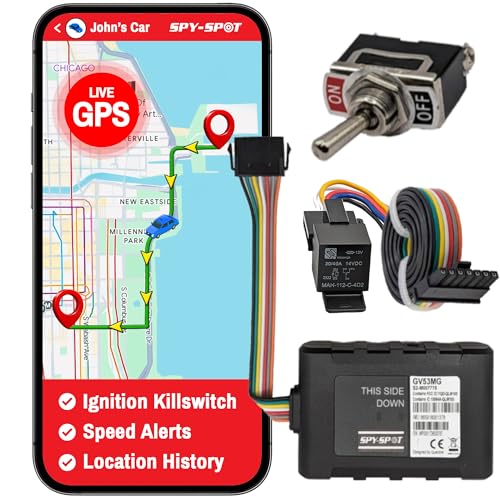
Spy Spot GV53MG 4G Vehicle GPS Tracker with Hard Wire Kill Switch, Real-Time Tracking Device & Locator, Remotely Disable Ignition from Any Location, US/CA/MX Coverage, Subscription Required
REAL-TIME 4G LTE VEHICLE GPS TRACKING: Monitor your vehicle’s location, movement, and speed in real time using reliable…
As an affiliate, we earn on qualifying purchases.
As an affiliate, we earn on qualifying purchases.