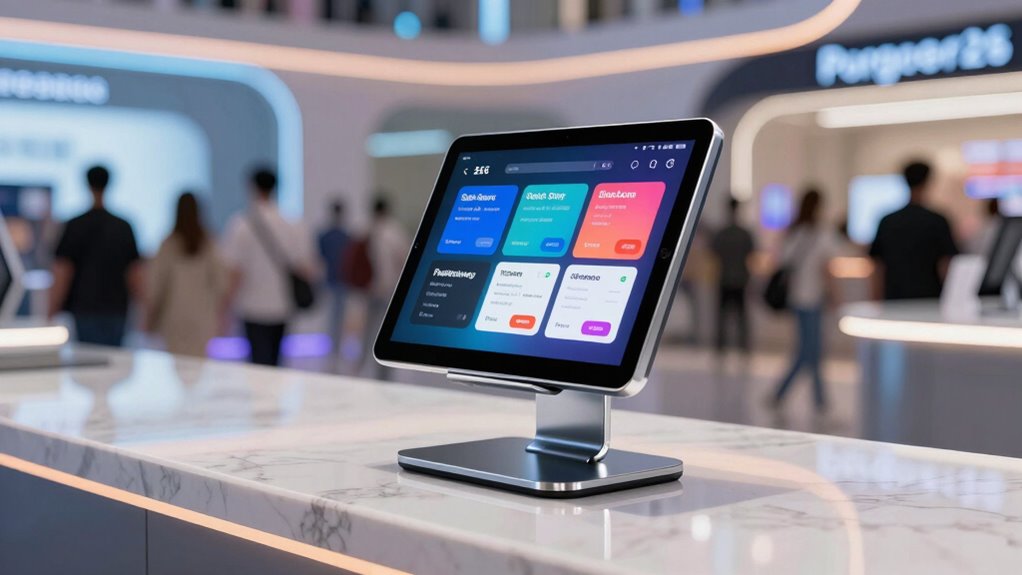

For self-serve signups, I’d start with the AboveTEK Security iPad Kiosk Floor Stand for its adjustable height and swivel, while the Mount-It! Anti-Theft Countertop Tablet Kiosk Stand suits a compact desk and the Mount-It! Anti-Theft iPad Floor Stand Kiosk with Literature Holder adds room for printed instructions. The main choice is between a counter or floor setup, broad tablet fit or a model tailored to particular devices, and easier repositioning or stronger theft deterrence. A stand that works for brief check-ins may be awkward for longer forms, so reach, screen angle, and cable routing matter alongside security. I compare all 15 options by how well their designs support unattended signup stations. Read on for the full breakdown and recommendations by setup.

Get business pricing on tech for your team
- Business-only prices and quantity discounts
- Tax-exempt purchasing
- Multiple users, one account, clear invoices
Key Takeaways
Adjustability separates the strongest floor picks: the AboveTEK Security Floor Stand lists height adjustment and 360° swivel, useful when visitors of different heights share a signup station.
Countertop stands fit space constrained check-in points: Mount-It!’s Universal Countertop Stand and Anti-Theft Countertop Kiosk keep the tablet on a desk, but they do not provide the reach of a floor stand.
Security and flexibility involve a tradeoff: locking and anti-theft designs suit unattended public areas, while a rotating retail stand emphasizes screen access and positioning.
Tablet fit needs checking before purchase: several models specify size ranges, including 9.7–13-inch and 10–14-inch options, but size alone does not confirm case, button, or connector compatibility.
Signup support can extend beyond the stand: the Mount-It! floor kiosk with literature holder accommodates printed directions, while most listed options focus on holding and securing the tablet itself.
| Mount-It! Universal Tablet Countertop Stand, Black | 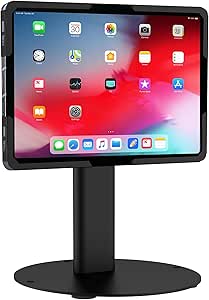 | Best Countertop for Flexible Installation | Compatible tablet size: 9.7–13.1 inches | Load capacity: Up to 15 lbs | Tilt: Up to 180° | VIEW ON AMAZON | See Our Full Breakdown |
| Mount-It! Anti-Theft Countertop Tablet Kiosk Stand |  | Best Countertop for Shared Viewing | Tablet compatibility: 7.9–11 inches | Compatible tablet width: 5–7.125 inches | Compatible tablet height: 7.87–9.68 inches | VIEW ON AMAZON | See Our Full Breakdown |
| Mount-It! Anti-Theft Universal Tablet Floor Stand, Silver |  | Best Floor Stand for Smaller Tablets | Tablet compatibility: 7.9–11 inches | Compatible tablet dimensions: 5.3–7.8 inches wide and 7.7–10.6 inches tall | Material: Steel | VIEW ON AMAZON | See Our Full Breakdown |
| AboveTEK Security iPad Kiosk Floor Stand, Height Adjustable, 360° Swivel, Anti-Theft, Fits 9.7–13-Inch Tablets |  | Best for Adjustable Visitor Height | Compatible tablet size: 9.7–13 inches | Maximum tablet thickness: 0.4 inches | Height range: 29.5–45.3 inches | VIEW ON AMAZON | See Our Full Breakdown |
| Adjustable Anti-Theft Floor Stand for 10–14-Inch Tablets |  | Best for Larger Tablets | Compatibility: Most 10–14-inch tablets up to 0.39 inches thick | Base: 13.78-inch solid steel base with pre-drilled mounting holes | Height adjustment: 29.53–45.28 inches | VIEW ON AMAZON | See Our Full Breakdown |
| Beelta Heavy Duty Steel Tablet POS Stand with 360° Swivel Base |  | Best Countertop Pick for Customer Signatures | Material: Heavy-duty steel | Color: Black | Mounting: Tabletop; double-sided tape or screws | VIEW ON AMAZON | See Our Full Breakdown |
| Mount-It! Anti-Theft Steel iPad Kiosk Stand |  | Best Countertop Pick for Secure Self-Service | Material: Steel | Color: Black | Compatibility: Listed iPad Gen 7–11, A16, Pro 10.5- and 11-inch, Air 10.5- and 10.9-inch models | VIEW ON AMAZON | See Our Full Breakdown |
| Mount-It! Anti-Theft iPad Floor Stand Kiosk with Literature Holder |  | Best Floor Kiosk for Forms and Printed Information | Material: Steel | Compatibility: Listed iPad Gen 7–11, Pro 10.5- and 11-inch, Air 10.5- and 10.9-inch, and A16 11-inch | Tablet requirement: Bare tablet; cases are not supported | VIEW ON AMAZON | See Our Full Breakdown |
| Mount-It! Anti-Theft Locking iPad Floor Stand |  | Best Heavy-Duty Floor Stand for Unattended Signups | Material: High-strength powder-coated steel | Stand weight: 33 lbs | Base dimensions: 13.4 x 11.8 inches | VIEW ON AMAZON | See Our Full Breakdown |
| AboveTEK 360° Rotating Retail Kiosk Tablet Stand |  | Best Flexible Stand for Shared Counters | Compatible screen size: 6–13 inches | Compatible device width or height: 6.6–9.6 inches | Maximum case thickness: Less than 0.5 inches | VIEW ON AMAZON | See Our Full Breakdown |
| Mount-It! Anti-Theft Universal Tablet Floor Kiosk, Height Adjustable, Black |  | Best Overall for Flexible Floor Signups | Tablet compatibility: 9.7–13.1 inches; 6.67–8.68 inches wide and 9.45–12.04 inches tall | Case compatibility: Bare tablets only; cases not supported | Height adjustment: 27.5–47 inches | VIEW ON AMAZON | See Our Full Breakdown |
| AboveTEK Anti-Theft iPad Kiosk Stand with Locking Mechanism |  | Best for Secured Countertop Signups | Compatibility: iPad models up to 10.5 inches, including listed 9.7-inch and 10.2-inch models | Rotation: 360° swivel | Tilt: 75° | VIEW ON AMAZON | See Our Full Breakdown |
| AboveTEK Anti-Theft iPad Floor Stand with Lock and Key |  | Best for 10.9–11-Inch Tablet Stations | Compatibility: 10.9–11-inch iPad and Galaxy Tab | Height range: 27.6–45.3 inches | Tilt range: −90° to 90° | VIEW ON AMAZON | See Our Full Breakdown |
| Secure Desk Tablet Kiosk Stand for 10–14-Inch Tablets |  | Best for a Low-Profile, Bolt-Down Desk Station | Compatible screen size: 10–14 inches | Maximum tablet thickness: 0.39 inches (10 mm) | Height adjustment: 10.43–15.94 inches (265–405 mm) | VIEW ON AMAZON | See Our Full Breakdown |
| AboveTEK Anti-Theft Adjustable iPad Floor Stand |  | Best for Older and Mixed-Generation iPads | Compatible devices: Listed 9.7-inch iPad, iPad Air, iPad Air 2, iPad Pro; 10.2-inch iPad (7th–9th generations); 10.5-inch iPad Air (3rd generation) and iPad Pro (2nd generation) | Height adjustment: 27.6–45.3 inches | Tilt range: −90° to 90° | VIEW ON AMAZON | See Our Full Breakdown |
| tablet kiosk stand for self serve signup | Rotation | Tilt |
|---|---|---|
| Mount-It! Universal Tablet Cou | — | Up to 180° |
| Mount-It! Anti-Theft Counterto | 360° | — |
| Mount-It! Anti-Theft Universal | 360 degrees | ±90 degrees |
| AboveTEK Security iPad Kiosk F | 360° | — |
| Adjustable Anti-Theft Floor St | 360 degrees | 180 degrees |
| Beelta Heavy Duty Steel Tablet | 360° swivel base | — |
| Mount-It! Anti-Theft Steel iPa | 360° base; 90° head rotation | Up to 75° |
| Mount-It! Anti-Theft iPad Floo | 90° | Up to 75° |
| Mount-It! Anti-Theft Locking i | 90°, lockable | Up to 75°, lockable |
| AboveTEK 360° Rotating Retail | 360° | — |
| Mount-It! Anti-Theft Universal | 90° | 180° |
| AboveTEK Anti-Theft iPad Kiosk | 360° swivel | 75° |
| AboveTEK Anti-Theft iPad Floor | — | — |
| Secure Desk Tablet Kiosk Stand | 360° | 180° (−90° to +90°) |
| AboveTEK Anti-Theft Adjustable | — | — |
More Details on Our Top Picks
Mount-It! Universal Tablet Countertop Stand, Black
For a signup station that belongs on a counter, this Mount-It! Universal Tablet Countertop Stand offers more installation choice than the floor stands in this batch. It can sit freestanding or attach by screw or grommet, so a business can match the setup to its counter and how firmly the tablet needs to stay in place. Its 9.7–13.1-inch compatibility and adjustable tilt make it suited to larger tablets shared by standing visitors. Compared with the Mount-It! Anti-Theft Countertop Tablet Kiosk Stand, this one accepts a broader tablet size range and offers up to 180° of tilt, while the other has 360° rotation and a taller fixed-height post. The tradeoff is case fit: this holder requires a bare tablet, and grommet mounting means drilling the counter. For compact signup counters, its multiple mounting options and cable management make it a practical fit.
Pros:- Fits bare tablets from 9.7 to 13.1 inches
- Tilt adjustment and 90° screen rotation support different signup positions
- Freestanding, screw-mounted, and grommet installation options
- Integrated cable management and tamper-resistant enclosure
Cons:- Does not accommodate tablets in cases
- Grommet installation requires a ¼-inch hole in the counter
Best for: Businesses setting up a shared signup tablet on a counter and choosing between freestanding, screw, or grommet mounting
Not ideal for: Teams that need to leave a protective case on the tablet or cannot drill or fasten the counter
- Compatible tablet size:9.7–13.1 inches
- Load capacity:Up to 15 lbs
- Tilt:Up to 180°
- Screen rotation:90°
- Stand height:7.1 inches; 11.57 inches fully extended
- Base diameter:7.87 inches
- Construction:Cold-rolled steel
- Installation options:Freestanding, screw-mounted, or grommet mount
- Warranty:Lifetime
Our verdict“Choose it for a counter-based signup station when you want several mounting options and can use the tablet without its case.”
Mount-It! Anti-Theft Countertop Tablet Kiosk Stand
The Mount-It! Anti-Theft Countertop Tablet Kiosk Stand suits signup desks where several people need to approach the screen from different angles. Its head rotates 360° and tilts, while TORX fasteners secure the tablet and the base can be bolted down. The cable runs through the pole, keeping a charging lead out of the way of visitors. Compared with the Mount-It! Universal Tablet Countertop Stand, Black, this model has a narrower tablet size and weight fit, but its full rotation makes it easier to turn the screen toward a staff member or the next person in line. It also stands 11.2 inches tall, which may suit counters where a higher screen position helps. The limits are strict clamp dimensions and bare-tablet use; check the tablet’s width and height before choosing it.
Pros:- TORX fasteners secure the tablet, and the base can be bolted down
- 360° rotation makes it easy to redirect the screen
- Cable routing through the pole keeps the charging lead contained
- Lifetime warranty and US-based support
Cons:- Only fits tablets within the specified width and height ranges
- Does not support tablets in cases
- Maximum tablet weight is 2.2 lbs
Best for: Retail and reception teams with a bare 7.9–11-inch tablet that needs to turn between staff and signup visitors
Not ideal for: Businesses using a tablet case, a tablet outside the clamp dimensions, or a larger tablet
- Tablet compatibility:7.9–11 inches
- Compatible tablet width:5–7.125 inches
- Compatible tablet height:7.87–9.68 inches
- Maximum tablet weight:2.2 lbs
- Tilt range:+20° to -110°
- Rotation:360°
- Stand height:11.2 inches
- Base dimensions:6.29 inches W × 9.05 inches D
- Cable routing:Through the pole
Our verdict“Pick this countertop kiosk when frequent screen repositioning matters and your bare tablet fits its clamp dimensions.”
Mount-It! Anti-Theft Universal Tablet Floor Stand, Silver
When signups happen away from a counter, the Mount-It! Anti-Theft Universal Tablet Floor Stand puts a secured tablet at visitor height and lets people adjust the screen. Its keyed clamp, 360° rotation, and ±90° tilt support different users and signup positions. The triangular base can stand on the floor or be bolted down, and cable clips help keep the charging lead organized. Compared with the AboveTEK Security iPad Kiosk Floor Stand, this model is limited to 7.9–11-inch tablets, while AboveTEK accommodates tablets up to 13 inches and has an adjustable height range. In return, the Mount-It! listing specifies tablet width and height dimensions, which helps verify fit before setup. Its 9.4-pound stand and wide base take up floor space, and buyers need a bare tablet because cases are unsupported.
Pros:- Keyed clamp helps secure the tablet against removal
- 360° rotation and ±90° tilt support varied viewing positions
- Charging port and audio jack remain accessible while mounted
- Cable clips help organize the charging lead
Cons:- Does not fit tablets in cases
- Compatibility is limited to stated tablet dimensions and 7.9–11-inch models
- Wide base occupies floor space unless bolted down
Best for: Venues using a bare 7.9–11-inch tablet for walk-up signups where a keyed holder and floor placement are needed
Not ideal for: Businesses with larger tablets, tablet cases, or limited floor space around the signup point
- Tablet compatibility:7.9–11 inches
- Compatible tablet dimensions:5.3–7.8 inches wide and 7.7–10.6 inches tall
- Material:Steel
- Stand weight:9.4 lbs
- Base dimensions:13.6 × 17.4 inches
- Rotation:360 degrees
- Tilt:±90 degrees
- Locking mechanism:Keyed clamp; 1 key included
- Mounting:Freestanding base with pre-drilled floor-mounting holes
Our verdict“Choose this stand for a secured floor signup point using a smaller bare tablet, provided its broad base fits the space.”
AboveTEK Security iPad Kiosk Floor Stand, Height Adjustable, 360° Swivel, Anti-Theft, Fits 9.7–13-Inch Tablets
The AboveTEK Security iPad Kiosk Floor Stand is the flexible floor choice for signup areas serving visitors of different heights. Its post adjusts from 29.5 to 45.3 inches, and the holder swivels fully and tilts widely, so staff can set a comfortable screen position without moving the base. The locking holder and hidden cable management suit a public-facing station. Compared with the Mount-It! Anti-Theft Universal Tablet Floor Stand, Silver, AboveTEK accepts larger tablets, up to 13 inches, and spells out a height range; the Mount-It! stand instead specifies tablet width and height fit and includes a keyed clamp. AboveTEK’s stated limit of 0.4-inch thickness still rules out some cased tablets. Product information also conflicts on whether the base weighs 5.3 pounds or 5.3 kilograms, so that figure should not guide a stability decision.
Pros:- Height adjustment accommodates different visitor positions
- 360° rotation and -90° to 90° tilt allow flexible screen placement
- Anti-theft screw and supplied wrench help secure the tablet
- Hidden cable management and steel construction suit public spaces
Cons:- Tablet compatibility is limited to 9.7–13 inches and 0.4 inches thick
- The listed base weight conflicts between 5.3 lbs and 5.3 kg
- Tablet cases may exceed the thickness limit
Best for: Reception desks, retail spaces, and event check-in areas that need an adjustable-height floor signup screen for 9.7–13-inch tablets
Not ideal for: Buyers who need confirmed base-weight data or use a tablet thicker than 0.4 inches
- Compatible tablet size:9.7–13 inches
- Maximum tablet thickness:0.4 inches
- Height range:29.5–45.3 inches
- Rotation:360°
- Tilt range:-90° to 90°
- Base weight:Conflicting listings: 5.3 lbs and 5.3 kg
- Enclosure material:Alloy steel
- Finish:Powder paint
- Cable management:Hidden cable management
Our verdict“Choose this floor stand when adjustable screen height and broad tablet size support matter more than having an unambiguous base-weight specification.”
Adjustable Anti-Theft Floor Stand for 10–14-Inch Tablets
For a self-serve signup station built around a larger screen, this Adjustable Anti-Theft Floor Stand supports tablets from 10 to 14 inches and adjusts across a broad height range. Its 360° rotation and 180° tilt let a business position the display for standing visitors or angle it toward a seated user. Security screws and a custom wrench discourage casual removal, while cables run through the hollow pole and base. Compared with the AboveTEK Security iPad Kiosk Floor Stand, this model reaches tablets up to 14 inches rather than 13, which may suit buyers who already have a larger device. AboveTEK’s listing, however, names compatible device families, while this stand describes compatibility more generally. Its steel base can be bolted down, but that adds installation work, and the tablet must stay within the stated size and thickness limits.
Pros:- Supports tablets up to 14 inches
- Height, tilt, and rotation adjustments help position the screen for visitors
- Security screws and a custom wrench deter casual tablet removal
- Cable routing through the pole and base conceals charging leads
Cons:- Compatibility is limited to tablets 10–14 inches and up to 0.39 inches thick
- Bolting the base to the floor requires installation
- Product data does not specify named compatible tablet models
Best for: Organizations using a 10–14-inch tablet for walk-up registrations and able to secure a floor-mounted station
Not ideal for: Teams with smaller or thicker tablets, or signup areas where floor bolting is impractical
- Compatibility:Most 10–14-inch tablets up to 0.39 inches thick
- Base:13.78-inch solid steel base with pre-drilled mounting holes
- Height adjustment:29.53–45.28 inches
- Rotation:360 degrees
- Tilt:180 degrees
- Security:Security screws and custom wrench
- Cable management:Routing through hollow pole and base
Our verdict“Pick this stand for a larger walk-up signup tablet when its dimensions fit and floor mounting is workable.”
Beelta Heavy Duty Steel Tablet POS Stand with 360° Swivel Base
For a signup counter where customers need to turn the screen toward themselves, the Beelta pairs a 360° swivel base with a heavy steel tower. That makes it a more direct fit for a shared countertop than the Mount-It! Anti-Theft Locking iPad Floor Stand, which is built for a fixed public kiosk. You can secure the Beelta with screws or double-sided tape, and Kensington lock compatibility adds a separate theft deterrent. Its tradeoff is narrower device support: it fits specified iPad generations and sizes, so check the exact model before choosing it. It also provides the stand, not the signup system; a card reader and POS software are separate. I’d choose it for a staffed counter that needs easy handoff and signing, rather than unattended floor registration.
Pros:- 360° swivel makes it easier to turn the signup screen toward each customer
- Heavy-duty steel construction supports steady countertop use
- Can be attached with screws or double-sided tape
- Kensington lock compatibility adds a theft deterrent
Cons:- Compatibility is limited to specified iPad models
- Card reader and POS software are not included
- Countertop footprint may not suit crowded check-in desks
Best for: Retail and hospitality counters using a listed iPad model for customer-led forms, signatures, or POS checkouts
Not ideal for: Teams using Android tablets, unlisted iPads, or a floor-based unattended signup station
- Material:Heavy-duty steel
- Color:Black
- Mounting:Tabletop; double-sided tape or screws
- Rotation:360° swivel base
- Security:Kensington lock compatible
- Compatible devices:Selected iPad 10th/11th Gen, iPad Pro 11-inch, and iPad Air 4th/5th Gen and 11-inch models
- Dimensions:10.83 x 8.07 x 6.89 inches
- Weight:2.18 kg
Our verdict“Choose the Beelta for a secured, swiveling iPad signup station on a shared counter.”
Mount-It! Anti-Theft Steel iPad Kiosk Stand
The Mount-It! countertop kiosk is the stronger choice when a signup tablet will sit within reach of visitors all day. Its keyed steel enclosure and option to bolt down the base suit a public-facing desk better than the Beelta stand, which relies on Kensington lock compatibility and adhesive or screw mounting. The head tilts up to 75° and rotates between portrait and landscape, letting you set a form at a readable angle or switch to a wider check-in screen. Four mounting plates cover a broad range of listed iPads, though the fit requires a bare tablet: cases and iPad mini models are excluded. Compared with the Mount-It! floor kiosk with literature holder, this model keeps the setup on the counter and leaves brochures out of the equation. That makes it a focused pick for secure tablet-only signups.
Pros:- Keyed steel enclosure helps deter tablet removal
- Can stand freely or be bolted down
- Portrait and landscape positioning with adjustable tilt
- Mounting plates support several listed iPad generations
Cons:- Does not fit iPad mini or tablets in cases
- Requires checking the exact iPad model for a proper fit
- Designed for iPads rather than a broad range of tablet brands
Best for: Businesses that need a lockable, bolt-down iPad signup station at a reception or service counter
Not ideal for: Organizations using iPad mini, protected cases, or tablets outside the listed compatibility range
- Material:Steel
- Color:Black
- Compatibility:Listed iPad Gen 7–11, A16, Pro 10.5- and 11-inch, Air 10.5- and 10.9-inch models
- Incompatible devices:iPad mini and iPads with cases
- Mounting:Freestanding or bolt-down
- Base dimensions:11.8 x 7.9 inches
- Rotation:360° base; 90° head rotation
- Tilt:Up to 75°
- Warranty:Lifetime
Our verdict“Pick this Mount-It! model for a lockable countertop signup kiosk with adjustable viewing angles.”
Mount-It! Anti-Theft iPad Floor Stand Kiosk with Literature Holder
When signup involves both an on-screen form and a printed handout, this floor kiosk combines the two in one station. The height-adjustable literature holder gives visitors a place to pick up brochures or instructions, while the lockable steel enclosure secures the iPad for public use. The Mount-It! Anti-Theft Locking iPad Floor Stand has a similar floor-kiosk purpose, but the literature holder gives this version a clearer role for events, clinics, or visitor check-in where paper still matters. Its viewing head tilts up to 75° and rotates 90° for portrait or landscape forms. The tradeoff is a tighter device fit: it requires a bare, supported iPad and excludes 12.9-inch iPad Pro models. For a simple digital signup point, the holder may add bulk without helping the process.
Pros:- Combines a secured tablet with an adjustable literature holder
- Tilts and rotates the iPad for different signup layouts
- Holder can be adjusted or removed
- Includes interchangeable mounting plates and two keys
Cons:- Requires a bare compatible iPad; cases are unsupported
- Does not support 12.9-inch iPad Pro models
- Literature holder adds bulk for digital-only signup stations
Best for: Event organizers, clinics, and reception teams pairing iPad registration with brochures or printed instructions
Not ideal for: Sites with iPad cases, 12.9-inch iPad Pro models, or limited floor space and no need for printed materials
- Material:Steel
- Compatibility:Listed iPad Gen 7–11, Pro 10.5- and 11-inch, Air 10.5- and 10.9-inch, and A16 11-inch
- Tablet requirement:Bare tablet; cases are not supported
- Rotation:90°
- Tilt:Up to 75°
- Included accessories:Two keys, interchangeable mounting plates, literature holder
- Maximum tablet weight:2.2 lbs
- Warranty:Lifetime
Our verdict“Choose this floor kiosk when visitors need both a secured signup tablet and easy access to printed information.”
Mount-It! Anti-Theft Locking iPad Floor Stand
For an unattended signup point where the tablet needs to stay put, this 33-pound steel floor stand offers a substantial base and a lockable enclosure. Its lockable rotation and tilt let staff set a useful angle for standing visitors, then keep the position in place. A concealed cable route and keyed power cabinet help keep charging hardware out of sight, which gives it a more self-contained public setup than the Mount-It! floor kiosk with literature holder. That other model suits stations where printed material is part of the visit; this one puts its emphasis on the tablet and power security. The weight helps stability but makes relocation harder, and the fit is limited to specified bare iPads. Skip it if your signup counter moves often or your tablet uses a case.
Pros:- Locking enclosure helps deter tablet tampering and removal
- Rotation and tilt can be locked in position
- Concealed cable routing and a lockable power cabinet tidy the setup
- Heavy steel stand and wide base support fixed placement
Cons:- At 33 lbs, it is difficult to move between locations
- Requires a bare compatible iPad and excludes 12.9-inch models
- Requires floor space and a fixed power connection for charging
Best for: Facilities teams setting up a fixed, unattended iPad registration station in a lobby or public waiting area
Not ideal for: Teams that regularly move the kiosk, use an iPad case, or need support for a 12.9-inch iPad Pro
- Material:High-strength powder-coated steel
- Stand weight:33 lbs
- Base dimensions:13.4 x 11.8 inches
- Compatible devices:iPad Pro 10.5- and 11-inch, Air 10.5- and 10.9-inch, A16 11-inch, iPad 7th–10th Gen 10.2–10.9-inch
- Tablet requirement:Bare tablet; cases are not supported
- Rotation:90°, lockable
- Tilt:Up to 75°, lockable
- Included:Four mounting plates, two keys, installation hardware and tools
- Warranty:Lifetime
Our verdict“Choose this stand for a fixed public signup station where tablet and charging security matter.”
AboveTEK 360° Rotating Retail Kiosk Tablet Stand
The AboveTEK is the most adaptable fit in this group for a shared counter: its padded holder accepts 6–13-inch tablets, and the quick-release bracket makes it easier to remove the device between signup sessions. A folding arm and 360° base help staff shift the screen between customer-facing and staff-facing positions. Compared with the Beelta, it accommodates more tablet sizes and is easier to carry, but it lacks the Beelta’s stated anti-theft features and heavy-duty steel construction. It also depends on device dimensions, not screen size alone, and cases must stay under half an inch thick. That makes it a practical choice for supervised desks, pop-up check-in, or shared reception counters, but a weaker match for unattended public kiosks where a keyed enclosure is the priority.
Pros:- Fits a broad stated range of 6–13-inch tablet screens
- 360° rotation and folding arm support flexible screen positioning
- Quick-release holder makes tablet removal and storage easier
- Weighted base provides support on a counter
Cons:- Does not list keyed or anti-theft enclosure features
- Case thickness must be under 0.5 inches
- Device dimensions must match in addition to screen size
Best for: Reception and event teams using different compatible tablets at a staffed counter or portable signup desk
Not ideal for: Operators leaving a tablet unattended in a public area or using a device with a thick case
- Compatible screen size:6–13 inches
- Compatible device width or height:6.6–9.6 inches
- Maximum case thickness:Less than 0.5 inches
- Rotation:360°
- Color:Black
- Holder:Padded, quick-release bracket
- Arm:Folding arm
- Base:Weighted base
Our verdict“Pick the AboveTEK for a flexible, removable tablet setup at a staffed signup counter.”
Mount-It! Anti-Theft Universal Tablet Floor Kiosk, Height Adjustable, Black
For a public signup station shared by adults and children, this floor kiosk offers more placement flexibility than the AboveTEK Anti-Theft iPad Kiosk Stand with Locking Mechanism, which is designed for a countertop. Its holder accepts bare tablets from 9.7 to 13.1 inches, and the height, tilt, and rotation adjustments help visitors use the screen from different positions. Concealed cable routing supports continuous charging, while the locking enclosure helps deter tampering. The 14.5-inch base can stand on its own or be bolted down, so a venue can choose between easier repositioning and a more fixed setup. The tradeoff is fit: tablets must meet the listed dimensions and be used without a case. Floor anchoring also takes a drill, and the larger base needs dedicated floor space.
Pros:- Locking holder helps deter theft and tampering
- Height, tilt, and rotation adjustments support varied users and viewing positions
- Concealed cable routing allows charging while the tablet is secured
- Can be freestanding or bolted to the floor
Cons:- Only fits bare tablets within the specified dimensions; cases are unsupported
- Floor bolt-down installation requires a standard drill
- Its 14.5-inch base takes more floor space than a countertop stand
Best for: Retailers, clinics, and event venues that need a lockable floor signup station adjustable for visitors of different heights
Not ideal for: Teams that need to keep tablets in protective cases or want a compact countertop signup point
- Tablet compatibility:9.7–13.1 inches; 6.67–8.68 inches wide and 9.45–12.04 inches tall
- Case compatibility:Bare tablets only; cases not supported
- Height adjustment:27.5–47 inches
- Tilt:180°
- Rotation:90°
- Base:14.5-inch diameter; freestanding or floor bolt-down
- Cable management:Concealed routing; supports Lightning, USB-C, and Micro-USB cables
- Weight and finish:22.5 pounds; black matte finish
- Warranty:Lifetime limited warranty for defects in materials and workmanship
Our verdict“Choose this for a shared, adjustable floor signup station when broad tablet fit and concealed charging matter more than case compatibility.”
AboveTEK Anti-Theft iPad Kiosk Stand with Locking Mechanism
This is the countertop choice for a staffed reception desk or retail counter where visitors can complete a signup without approaching a floor tower. The lock and key system helps keep the iPad in place, and built-in cable management tidies the charging lead. Its 360° swivel and 75° tilt make it easier to turn the screen toward a visitor and adjust the viewing angle. Compared with the Mount-It! Anti-Theft Universal Tablet Floor Kiosk, it gives up height adjustment and broad floor placement in exchange for a smaller, counter-based setup. Compatibility is also narrower: it is listed for iPads up to 10.5 inches, so larger tablets and non-iPad devices may not fit. Countertop installation is required, which suits a fixed service point but limits easy relocation.
Pros:- Lock and key system helps deter tablet theft
- 360° swivel lets staff and visitors reposition the screen
- 75° tilt supports adjustment for comfortable viewing
- Built-in cable management keeps the counter neater
Cons:- Limited to listed iPad models up to 10.5 inches
- Requires countertop installation and is not a freestanding floor kiosk
- No height adjustment is specified
Best for: Reception teams and shop owners who want a lockable iPad signup point fixed to an existing countertop
Not ideal for: Venues needing a freestanding station, height adjustment, or support for tablets larger than 10.5 inches
- Compatibility:iPad models up to 10.5 inches, including listed 9.7-inch and 10.2-inch models
- Rotation:360° swivel
- Tilt:75°
- Security:Lock and key system
- Base material:Metal
- Installation:Countertop installation with predrilled holes
- Cable management:Built-in
Our verdict“Pick this for a fixed iPad signup point on a counter, especially when screen swiveling matters more than floor-standing flexibility.”
AboveTEK Anti-Theft iPad Floor Stand with Lock and Key
For a signup station built around a 10.9- or 11-inch tablet, this AboveTEK floor stand pairs a lock and key with adjustable height and a wide tilt range. That makes it easier to set the screen for standing visitors than the AboveTEK Anti-Theft iPad Kiosk Stand with Locking Mechanism, which sits on a counter and does not list height adjustment. Integrated cable management also helps keep the charging lead orderly at a public station. Its compatibility is the main constraint: the listed fit is limited to 10.9–11-inch iPad and Galaxy Tab devices, unlike the Mount-It! Anti-Theft Universal Tablet Floor Kiosk, which accepts a broader range of bare-tablet dimensions. The 6.6-pound weight keeps this model relatively light, but the base needs assembly and its anti-slip base may not provide the same fixed security as a floor-bolted setup.
Pros:- Lock and key mechanism helps deter unauthorized removal
- Adjustable height suits standing visitors
- Broad tilt range helps position the signup screen
- Integrated cable management keeps the setup tidy
Cons:- Compatibility is limited to 10.9–11-inch iPad and Galaxy Tab devices
- Base attachment requires assembly
- Lightweight construction may need added securing in busy public areas
Best for: Businesses standardizing on a 10.9–11-inch iPad or Galaxy Tab for a lockable standing signup station
Not ideal for: Venues with mixed tablet sizes or buyers who need a clearly specified floor-bolt installation option
- Compatibility:10.9–11-inch iPad and Galaxy Tab
- Height range:27.6–45.3 inches
- Tilt range:−90° to 90°
- Weight:6.6 pounds (3 kg)
- Materials:Aluminum and steel
- Security:Lock and key mechanism
- Base:0.16-inch thickness; anti-slip pad and screw holes
- Cable management:Integrated
Our verdict“Choose this floor stand if your signup tablet is a supported 10.9–11-inch model and you want adjustable positioning with keyed security.”
Secure Desk Tablet Kiosk Stand for 10–14-Inch Tablets
This desk stand suits a fixed signup point where a tablet should stay close to the counter rather than rise to standing height. It supports 10–14-inch tablets and offers full rotation with 180° tilt, giving visitors a flexible viewing angle. Anti-theft screws and a bolt-down base add a more fixed security approach than the AboveTEK Anti-Theft iPad Kiosk Stand with Locking Mechanism, which uses a lock and key on a countertop mount. Internal cable routing keeps cords out of sight, useful on a reception or service desk. The tradeoff is that its listed height adjustment is only 10.43–15.94 inches, so it is not a floor kiosk for standing users. Buyers also need to check thickness: tablets over 0.39 inches are outside the stated limit, and full security depends on mounting the base to the counter.
Pros:- Fits a range of 10–14-inch tablets
- 360° rotation and 180° tilt allow flexible screen positioning
- Anti-theft screws and bolt-down base support a fixed installation
- Internal cable routing hides the charging lead
Cons:- Full security requires mounting the base to a countertop
- Tablet thickness is limited to 0.39 inches
- Height range is suited to desk use, not standing visitors
Best for: Service desks that need a bolt-down, low-profile signup stand for tablets between 10 and 14 inches
Not ideal for: Venues running standing signup flows or tablets thicker than 0.39 inches
- Compatible screen size:10–14 inches
- Maximum tablet thickness:0.39 inches (10 mm)
- Height adjustment:10.43–15.94 inches (265–405 mm)
- Rotation:360°
- Tilt:180° (−90° to +90°)
- Material and weight:Steel; 5.38 pounds (2.44 kg)
- Base:7.87-inch diameter (200 mm); bolt-down mounting
- Mounting pattern:VESA 75 × 75 mm
- Security and cable management:Anti-theft screws; internal cable routing
Our verdict“Pick this for a securely mounted desk signup station with varied tablet sizes, provided the devices fit its thickness limit.”
AboveTEK Anti-Theft Adjustable iPad Floor Stand
This floor stand is aimed at venues with a known set of supported iPads, including several 9.7-, 10.2-, and 10.5-inch generations. Its lock and key mechanism helps deter theft, and the adjustable height and tilt let a venue position a signup screen for standing visitors. Compared with the AboveTEK Anti-Theft iPad Floor Stand with Lock and Key, this model lists specific iPad generations rather than general 10.9–11-inch iPad and Galaxy Tab compatibility, so buyers can check device fit more directly. It also weighs 11.6 pounds, more than that model’s listed 6.6 pounds, which may suit a more substantial floor setup but makes moving it less convenient. The narrow device list limits future flexibility, and the stand uses floor space; anchoring may be needed for added security.
Pros:- Lock and key mechanism helps deter removal
- Height and tilt adjustment support standing signup use
- Cable management keeps cords tidy
- Listed iPad generations make device fit easier to check
Cons:- Compatible only with the specified iPad models
- Uses dedicated floor space and may need anchoring for added security
- Heavier than the 6.6-pound AboveTEK Anti-Theft iPad Floor Stand with Lock and Key
Best for: Organizations using listed older iPad generations that want an adjustable, keyed floor signup station
Not ideal for: Teams using newer iPads, Android tablets, or a rotating mix of devices outside the listed models
- Compatible devices:Listed 9.7-inch iPad, iPad Air, iPad Air 2, iPad Pro; 10.2-inch iPad (7th–9th generations); 10.5-inch iPad Air (3rd generation) and iPad Pro (2nd generation)
- Height adjustment:27.6–45.3 inches
- Tilt range:−90° to 90°
- Material:Aluminum and steel
- Security:Lock and key mechanism
- Cable management:Built-in
- Dimensions:15 × 11 × 35 inches
- Weight:11.6 pounds (5.3 kg)
- Form and color:Tower floor stand; black
Our verdict“Choose this when your venue uses one of the listed iPad generations and wants a keyed, adjustable floor kiosk.”

How We Picked
I ranked these stands for a specific job: letting visitors complete signups on a shared tablet with minimal staff help. My main criteria were the stated tablet size range, ability to adjust screen height or angle, anti-theft or locking features, and whether the design works on a counter or floor. I also considered signup flow details such as access for standing users, screen sharing between visitor and staff, and space for printed prompts.
The ranking favors adaptable floor stands with clearly stated security and positioning features, followed by specialized options that solve a distinct placement problem. Countertop models rank well for small reception desks but cannot serve every standing visitor as naturally. Product names and listed features do not establish compatibility with every tablet, case, cable, or installation surface, so I treat those as details buyers should confirm before choosing.
Factors to Consider When Choosing Tablet Kiosk Stand For Self Serve Signups
Choosing a signup stand means planning the whole visitor interaction, from spotting the station to submitting the form. I’d decide where the tablet will live, who needs to reach it, and how the device will stay powered before comparing individual designs.
Choose the station location before the stand style
A countertop stand works best when the signup point already has a staffed reception desk or a clear, stable surface. A floor stand gives visitors access without taking desk space, which can help in lobbies, event entrances, and queue areas. Measure the footprint and nearby walking path, including room for a person to stop and use the screen. A tall stand placed in a narrow passage can obstruct traffic even if the tablet itself is compact. Think about where staff will stand when helping with an exception or accessibility request. Match the stand to the actual station rather than assuming a floor model is automatically more visible.
Check reach, viewing angle, and form length
Height adjustment and swivel can make a station easier to share among visitors and staff, but they matter most when the form takes more than a few taps. For brief check-ins, a fixed screen may be adequate if the screen is positioned at a comfortable standing height. Longer forms call for a stable angle that limits glare and reduces awkward reaching. Consider whether visitors will sign, type, scan a code, or show a confirmation screen to staff. A screen that rotates toward staff can help with assistance, though it may interrupt a visitor’s flow if staff reposition it often. If children, seated users, or wheelchair users are part of the audience, verify the usable range rather than relying on an “adjustable” label.
Treat tablet compatibility as a physical fit check
Published size ranges are a useful first filter, but diagonal screen size does not capture a tablet’s full dimensions. Cases, camera placement, side buttons, charging ports, and connector orientation can all affect whether a device sits correctly in a holder. Check the tablet model and case against the manufacturer’s holder dimensions or compatibility list before ordering. If the organization rotates devices or plans to upgrade, a universal holder may provide more flexibility than a device-specific one. That flexibility can come with a less tailored fit, so check how the tablet is retained and whether controls remain accessible. A quick fit review can prevent a stand from blocking the very buttons or charging port the kiosk needs.
Plan security and power as one installation
Anti-theft construction and a locking mechanism can deter casual removal, especially in unattended public areas. They do not replace a secure mounting point or a plan for managing the charging cable. Decide whether staff need frequent access to remove the tablet for updates, cleaning, or charging, since a lock can add steps to routine maintenance. Route power so visitors cannot snag the cable and so the connection remains reachable to staff. For a fixed public station, confirm how the base attaches to the floor or counter and what tools the installation requires. Security is only useful when the station remains practical to service.
Design the signup flow around the stand
The stand supports the signup process but does not make a confusing form easier to finish. Keep instructions visible at the point of use, and decide whether the tablet itself will display prompts or whether a printed sign is needed. A literature holder can provide directions without crowding the screen, but printed information should stay current as the form changes. Consider what visitors should do after submitting: wait for confirmation, show staff a screen, or move to another station. Position the stand so a completed signup does not create a bottleneck for the next person. A short trial with the actual form can reveal placement and workflow problems before the station goes live.
Pay for features your location will use
More adjustment, locking, or mounting flexibility can be worthwhile when many visitors use the station without staff nearby. A straightforward countertop holder may be the better fit for a reception desk where staff can assist and the tablet stays within view. Premium features matter less if the stand will be moved often or if the signup process is temporary; in that case, setup time and portability deserve attention. For a permanent installation, favor the features that reduce daily friction, such as reliable cable access and convenient staff access for service. Avoid paying for an elaborate floor setup when a desk already provides the right height and sightline. Compare the cost of changing a poor placement later with the effort of measuring and planning before purchase.
Frequently Asked Questions
Should I choose a floor stand or a countertop stand for a signup kiosk?
I’d choose a countertop model when a reception desk is already the natural check-in point and space is available for the tablet. A floor stand makes more sense when visitors need to find and use the station independently in a lobby, event space, or queue. The floor option also frees the desk, but it needs a stable footprint and a location that does not obstruct movement. Consider whether staff will need to help from the same screen, since swivel or height adjustment can make shared use easier. Map the visitor path before choosing the format.
Will a stand listed for my tablet’s screen size fit it with a case?
Not necessarily: screen diagonal does not tell you whether the tablet’s overall dimensions fit the holder. A case can add width or thickness, and a clamp may cover buttons, cameras, or the charging port. Check the exact tablet model, case dimensions, holder range, and port placement against the product details. If the kiosk will use a rugged case, confirm compatibility with the case installed rather than assuming it can be removed for daily use. Leave enough clearance for staff to connect power and access the device when needed.
Is an anti-theft stand enough for an unattended signup station?
An anti-theft or locking holder can make casual removal harder, but the installation still matters. Check whether the base can be secured to the counter or floor and how the power cable will be routed. Think through how staff will unlock or remove the tablet for cleaning, charging, or software updates. Also protect the signup process itself with a device configuration that returns to the form and limits access to other apps. The stand addresses physical handling; the full kiosk setup needs both physical and device-level controls.
What should I do if visitors need to sign or type for several minutes?
Prioritize a stable screen angle and a height that accommodates the people who will use the station. Adjustable floor models can help when users vary in height, while a fixed countertop stand may work if the desk is already at a comfortable level. Test the complete form with a visitor standing at the kiosk, including typing, reviewing entries, and submitting. Watch for glare, reach, and whether the base shifts under repeated taps. If seated visitors need access, verify that the screen can be positioned within their comfortable reach.
How do I keep the signup station from becoming a bottleneck?
Start by making the form short, readable, and clear about what happens after submission. Place the stand where visitors can step aside once finished without blocking people arriving behind them. For busy locations, consider whether a staff member needs a second device or a separate queue marker during peak periods. Printed directions can help visitors begin without asking for assistance, but keep them synchronized with the current form. Observe a few real signup attempts and adjust the placement if people hesitate, crowd the screen, or wait for staff unnecessarily.
Conclusion
For most public signup points, I’d choose the AboveTEK Security iPad Kiosk Floor Stand as the best overall option because its listed height adjustment and swivel support shared use. The Mount-It! Anti-Theft Countertop Tablet Kiosk Stand is my best value for a desk-based station, while the Mount-It! Anti-Theft Universal Tablet Floor Stand, Silver is the best premium direction for buyers who want a universal floor setup. Beginners can start with the Mount-It! Universal Tablet Countertop Stand if they have a stable desk and staff nearby. For printed directions, pick the Mount-It! Anti-Theft iPad Floor Stand Kiosk with Literature Holder; for a rotating retail counter workflow, consider the AboveTEK 360° Rotating Retail Kiosk Tablet Stand. Check tablet fit, mounting, and cable access before settling on any of them.
Fall Picks
fall essentials
As an affiliate, we earn on qualifying purchases.