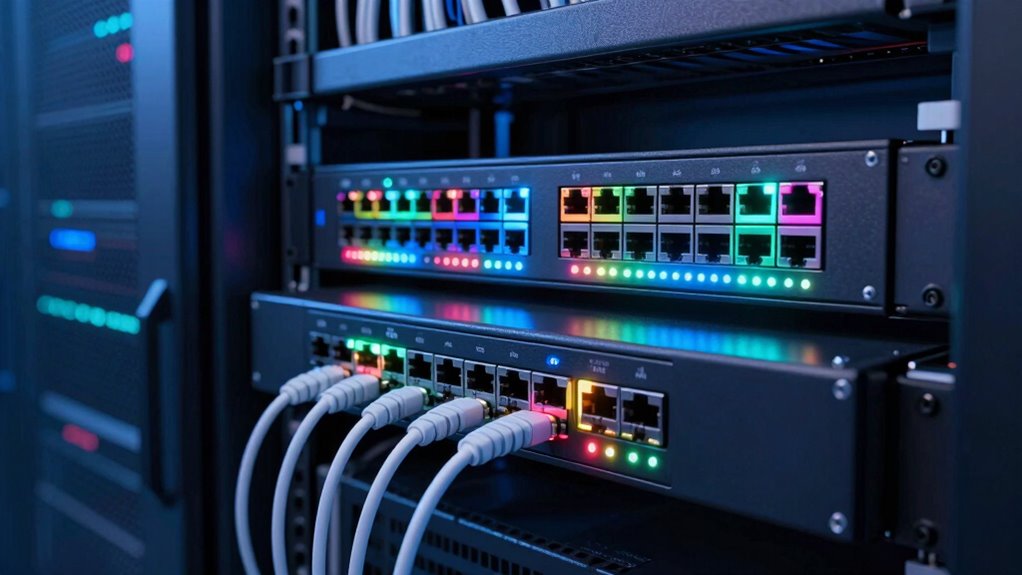
Choosing the right managed network switch for a small business involves balancing performance, manageability, and cost. The Omada ES206X-M2 stands out as the overall best for its balance of features and affordability, while the Linksys LGS328C offers robust gigabit ports and advanced management for growing networks. For those seeking a straightforward, plug-and-play experience, the TP-Link 8 Port Gigabit Switch is an excellent choice. The main tradeoffs involve deciding whether to prioritize advanced features like PoE and 10G uplinks or to focus on simplicity and budget. Keep reading for a detailed breakdown of each option to find the best fit for your small business.
Open a free Amazon Business account
Business pricing, bulk buying and tax-exempt orders.
Create a free accountAs an affiliate, we earn on qualifying purchases.
Key Takeaways
- Top contenders balance port count, manageability, and power over Ethernet (PoE) capabilities.
- Higher port counts and 10G uplinks tend to add cost but are valuable for expanding networks.
- Ease of setup and management features vary significantly, impacting suitability for non-technical users.
- Build quality and warranty support are important for long-term reliability in small business environments.
- Budget options often lack advanced features but still deliver reliable basic switching for smaller needs.
| Omada ES206X-M2 5-Port 2.5G Managed Switch |  | Best for Small Desks Needing Silent, Cloud-Managed Connectivity | Ports: 5× 2.5 Gbps RJ45 | SFP+ Slot: 1× 10 Gbps | Management: Cloud-based via web or app | VIEW ON AMAZON | See Our Full Breakdown |
| TP-Link 8 Port Gigabit Switch – Easy Smart Managed, Plug & Play, Desktop/Wall-Mount, Metal with Shielded Ports |  | Best for Growing Small Networks Requiring Manageability and Durability | Number of Ports: 8 | Port Speed: Gigabit Ethernet | Management: Smart Managed | VIEW ON AMAZON | See Our Full Breakdown |
| Linksys LGS328C 24 Port Gigabit Managed Network Switch with 4 x 10G Uplink SFP+ Slots |  | Best for High-Capacity, Flexible Network Expansion | Number of Ports: 24 Gigabit | Uplink Ports: 4 x 10G SFP+ | Housing: Metal | VIEW ON AMAZON | See Our Full Breakdown |
| NETGEAR 16-Port PoE Gigabit Ethernet Easy Smart Managed Switch (GS316EP) |  | Best for Small Business with PoE Device Needs | Number of Ports: 16 | PoE ports: 15 | PoE Power Budget: 180W | VIEW ON AMAZON | See Our Full Breakdown |
| YuanLey 28-Port Gigabit Managed Switch with 24 Gigabit RJ45 Ports and 4 10Gbps SFP+ Slots |  | Best for Demanding SMBs Needing High Throughput and Security | Ports: 24 Gigabit RJ45, 4 x 10Gbps SFP+ | Switching Capacity: 128Gbps | Management Features: Web, CLI, SNMP | VIEW ON AMAZON | See Our Full Breakdown |
| NETGEAR 8-Port Gigabit Ethernet Easy Smart Managed Network Switch (GS308E) |  | Best Overall for Small Business Simplicity and Reliability | Ports: 8 x 1Gbps | Management: Web GUI, Easy Smart | VLANs: Up to 64 | VIEW ON AMAZON | See Our Full Breakdown |
| NETGEAR 5-Port Gigabit Ethernet Easy Smart Managed Network Switch (GS305E) |  | Best Compact Switch for Space-Conscious Small Offices | Number of Ports: 5 | Port Speed: 1.0Gbps | Management: Easy Smart Managed | VIEW ON AMAZON | See Our Full Breakdown |
| NETGEAR 5-Port PoE Gigabit Ethernet Easy Smart Managed Switch (GS305EPP) |  | Best PoE-Enabled Compact Switch for Small Business Devices | Number of Ports: 5 | PoE Ports: 4 | Total PoE Power Budget: 120W | VIEW ON AMAZON | See Our Full Breakdown |
| TP-Link TL-SG1428PE 24-Port Gigabit Easy Smart Managed PoE+ Switch |  | Best for Expanding Networks with PoE+ Power and VLANs | Number of Ports: 24 PoE+ ports, 2 non-PoE | PoE Power Budget: 250W | PoE Power per Port: Up to 30W | VIEW ON AMAZON | See Our Full Breakdown |
| 16-Port Rackmount Managed Network Switch – Layer 2 PoE+ Gigabit with 350W Power |  | Best for Advanced Small Business Networks with High PoE Power Needs | Number of Ports: 16 | PoE Power Budget: 350W | Max Power per Port: 30W | VIEW ON AMAZON | See Our Full Breakdown |
| Aruba Instant On 1930 24-Port Gigabit Ethernet PoE Switch (JL683A#ABA) |  | Best Overall for Small Business Networks | Ports: 28 active ports (24x Gigabit + 4x 10G SFP+) | PoE: Yes, PoE/PoE+ (Class 4) on 24 ports | PoE Power Budget: 195 Watts | VIEW ON AMAZON | See Our Full Breakdown |
| NETGEAR 26-Port PoE Gigabit Ethernet Smart Managed Network Switch (GS724TP) |  | Best Value for Versatile Expansion | Number of Ethernet ports: 24 | Ethernet speed: 1.0Gbps | PoE+ ports: 24 | VIEW ON AMAZON | See Our Full Breakdown |
| NETGEAR 5-Port Gigabit Ethernet Easy Smart Managed Switch (GS105Ev2) |  | Best for Compact, Low-Complexity Networks | Number of Ports: 5 | Port Speed: 1.0Gbps | Management: Easy Smart | VIEW ON AMAZON | See Our Full Breakdown |
| managed network switch for small business network | Management | Number of Ports |
|---|---|---|
| Omada ES206X-M2 5-Port 2.5G Ma | Cloud-based via web or app | — |
| TP-Link 8 Port Gigabit Switch | Smart Managed | 8 |
| Linksys LGS328C 24 Port Gigabi | — | 24 Gigabit |
| NETGEAR 16-Port PoE Gigabit Et | — | 16 |
| YuanLey 28-Port Gigabit Manage | — | — |
| NETGEAR 8-Port Gigabit Etherne | Web GUI, Easy Smart | — |
| NETGEAR 5-Port Gigabit Etherne | Easy Smart Managed | 5 |
| NETGEAR 5-Port PoE Gigabit Eth | — | 5 |
| TP-Link TL-SG1428PE 24-Port Gi | Web-based, smart utility | 24 PoE+ ports, 2 non-PoE |
| 16-Port Rackmount Managed Netw | Layer 2, web and local | 16 |
| Aruba Instant On 1930 24-Port | Cloud management via app or web, local web interface | — |
| NETGEAR 26-Port PoE Gigabit Et | SNMP, NETGEAR Insight | — |
| NETGEAR 5-Port Gigabit Etherne | Easy Smart | 5 |
More Details on Our Top Picks
Omada ES206X-M2 5-Port 2.5G Managed Switch
The Omada ES206X-M2 stands out for its simple plug-and-play setup and cloud management, making it ideal for small businesses that want centralized control without complex hardware. Compared with the TP-Link TL-SG108E, it offers faster 2.5G ports, ensuring better future-proofing for higher bandwidth needs. However, its limited port count constrains larger or growing networks, and it lacks PoE support, which can be a drawback for power-hungry devices. The fanless design keeps noise to a minimum, perfect for quiet office environments, but advanced users may find its feature set somewhat basic. This switch best suits small firms seeking easy, silent management with minimal technical overhead.
Pros:- Easy plug-and-play setup with cloud management
- Silent operation due to fanless design
- Durable metal housing suitable for desktop or wall mounting
Cons:- Limited to only 5 ports, not suitable for larger networks
- No PoE support, restricting device compatibility
- Advanced features require network expertise
Best for: Small offices or home-based businesses needing straightforward, cloud-managed, silent network expansion.
Not ideal for: Larger networks or setups requiring PoE for IP phones or security cameras, as it lacks PoE support and port count may be limiting.
- Ports:5× 2.5 Gbps RJ45
- SFP+ Slot:1× 10 Gbps
- Management:Cloud-based via web or app
- Design:Fanless, metal casing, desktop/wall mountable
Our verdict“This switch is best for small setups prioritizing simplicity, silence, and centralized cloud management without PoE needs.”
TP-Link 8 Port Gigabit Switch – Easy Smart Managed, Plug & Play, Desktop/Wall-Mount, Metal with Shielded Ports
The TP-Link TL-SG108E offers a step up with 8 gigabit ports, making it suitable for expanding small networks. It supports VLAN, QoS, IGMP snooping, and network monitoring, giving more control than basic unmanaged switches like the Omada ES206X-M2. Yet, its port count may fall short for larger environments, and it requires some networking knowledge to leverage its advanced features fully. Its sturdy metal design with shielded ports enhances durability for frequent use, but it doesn’t support PoE, limiting device power options. This switch makes the most sense for small businesses needing manageable, reliable connectivity with room to grow.
Pros:- Supports VLAN, QoS, IGMP snooping, and network monitoring
- Web interface and free management software simplify control
- Sturdy metal housing with shielded ports for durability
Cons:- Limited to 8 ports, not ideal for larger networks
- Requires some network knowledge for advanced configuration
- Lacks PoE support for powering devices
Best for: Small teams or offices that want manageable, secure, and durable network expansion with a few more ports.
Not ideal for: Businesses with high PoE device requirements or large networks needing more than 8 ports for expansion.
- Number of Ports:8
- Port Speed:Gigabit Ethernet
- Management:Smart Managed
- Mounting Options:Desktop/Wall-Mount
Our verdict“This switch is ideal for growing small networks that need manageable, durable gigabit connectivity with some control features.”
Linksys LGS328C 24 Port Gigabit Managed Network Switch with 4 x 10G Uplink SFP+ Slots
The Linksys LGS328C excels in environments demanding high capacity, with 24 gigabit ports and four 10G SFP+ uplinks, making it a strong choice for expanding networks. Compared with the YuanLey 28-Port, it offers a more straightforward setup and advanced security features, though it might lack the same level of energy efficiency. Its complex features, including static routing and VLAN, may be overwhelming for users unfamiliar with network management, but for those with technical skills, it offers significant flexibility. The metal housing and mounting options support versatile deployment in small to medium-sized businesses. This switch is best suited for environments requiring high throughput and advanced security, not for casual or basic setups.
Pros:- High network capacity with 24 ports and 4 10G uplinks
- Advanced security, QoS, static routing, and VLAN support
- Flexible mounting options for various deployment needs
- Supports multiple management protocols (Web, CLI, SNMP)
Cons:- Setup complexity may be challenging for non-technical users
- No PoE support, limiting device powering options
- Potentially higher cost for small setups
Best for: Small to medium-sized businesses with technical staff seeking high-capacity, secure, and flexible network solutions.
Not ideal for: Small offices or users unfamiliar with network management, as setup can be complex and feature-rich.
- Number of Ports:24 Gigabit
- Uplink Ports:4 x 10G SFP+
- Housing:Metal
- Mounting Options:Desktop / Wall mount
Our verdict“This switch is designed for SMBs needing high throughput, advanced security, and flexible management—best for technically capable teams.”
NETGEAR 16-Port PoE Gigabit Ethernet Easy Smart Managed Switch (GS316EP)
The NETGEAR GS316EP provides 15 PoE+ ports, making it a practical choice for small businesses deploying VoIP phones, security cameras, or Wi-Fi access points. Its 16 gigabit ports ensure high-speed data transfer, and the inclusion of an SFP port adds fiber connectivity options. Compared to non-PoE switches like the Omada ES206X-M2, this model offers power delivery directly through Ethernet, simplifying wiring and reducing clutter. Limitations include a PoE power budget of 180W, which might be insufficient for larger deployments, and a lack of advanced security features. Its compact, versatile design makes it suitable for small setups needing PoE but not overly complex management.
Pros:- 15 PoE+ ports with 180W power budget
- Gigabit Ethernet speeds for reliable connectivity
- Includes SFP port for fiber integration
- Simple management interface for ease of use
Cons:- PoE power budget may be limiting for larger device deployments
- Lacks advanced security features
- No support for higher PoE standards like PoE++
Best for: Small businesses with PoE-enabled devices such as IP cameras, phones, and wireless access points, requiring straightforward management.
Not ideal for: Enterprises or networks with high PoE power demands or needing advanced security layers, as the budget may be restrictive.
- Number of Ports:16
- PoE ports:15
- PoE Power Budget:180W
- SFP ports:1
Our verdict“This switch suits small businesses needing PoE support for multiple devices with straightforward management and reliable gigabit speeds.”
YuanLey 28-Port Gigabit Managed Switch with 24 Gigabit RJ45 Ports and 4 10Gbps SFP+ Slots
The YuanLey 28-port switch is tailored for SMBs with high throughput needs, offering 24 gigabit ports plus 4 10G SFP+ slots. Its robust management features, including VLAN, QoS, ACL, and security protocols like 802.1X, position it as a versatile solution for more complex network environments. Compared with the Linksys LGS328C, it emphasizes energy efficiency with fanless design and offers multiple management options, including SNMP, which benefits network administrators. Its complexity may be a hurdle for less experienced users, and pricing details are not included, but it’s a compelling choice for those prioritizing performance and security in a small-to-medium business setting.
Pros:- High switching capacity of 128Gbps for demanding traffic
- Supports advanced security, VLAN, QoS, ACL, and energy efficiency
- Fanless, quiet operation suitable for office environments
- Flexible management options: Web, CLI, SNMP
Cons:- Setup and management may be complex for untrained users
- No included pricing info, potential cost considerations
- Designed primarily for SMBs with more advanced networking needs
Best for: SMBs needing high capacity, advanced security, and flexible management for demanding network environments.
Not ideal for: Small or simple networks without dedicated IT staff, due to its complex features and setup requirements.
- Ports:24 Gigabit RJ45, 4 x 10Gbps SFP+
- Switching Capacity:128Gbps
- Management Features:Web, CLI, SNMP
- Fanless:Yes
Our verdict“This switch is ideal for SMBs prioritizing high throughput, security, and flexible management, equipped for complex network demands.”
NETGEAR 8-Port Gigabit Ethernet Easy Smart Managed Network Switch (GS308E)
This GS308E stands out as the best overall choice for small businesses seeking straightforward, reliable network management. Its plug-and-play setup paired with web-based management makes configuration accessible for users without advanced IT skills. Compared with the NETGEAR GS305E, it offers more comprehensive features like VLAN support and traffic prioritization, making it suitable for small networks with moderate complexity. However, its 8 ports may limit expansion, and the lack of PoE support reduces its versatility for powering devices like VoIP phones or cameras. Its rugged, fanless design ensures silent operation, ideal for environments where noise matters. Overall, this switch balances ease of use with essential managed features, making it a solid choice for small offices or retail spaces.
Pros:- Easy to set up with plug-and-play design
- Web GUI simplifies network management
- Silent, fanless operation for quiet environments
- Supports VLANs and QoS for traffic management
Cons:- Limited to small networks, not suitable for large setups
- No PoE support for powering connected devices
Best for: Small business owners who need a reliable, easy-to-manage switch with VLAN and QoS but don’t require PoE.
Not ideal for: Growing businesses that need PoE support or more than 8 ports for future expansion.
- Ports:8 x 1Gbps
- Management:Web GUI, Easy Smart
- VLANs:Up to 64
- Features:QoS, IGMP snooping, port mirroring
- Housing:Rugged fanless metal
- Power over Ethernet:No
Our verdict“This switch is ideal for small offices needing straightforward, reliable management without PoE or high port counts.”
NETGEAR 5-Port Gigabit Ethernet Easy Smart Managed Network Switch (GS305E)
The GS305E serves as an excellent compact managed switch for small networks with limited space or simple management needs. Its 5 ports, comparable to the GS308E, make it less suitable for larger setups but perfect for desktops or wall-mounting in tight spots. Its energy-efficient, fanless design keeps noise levels down, similar to the GS308E, yet it offers fewer features—like less VLAN flexibility—compared with larger switches. Its straightforward management interface streamlines network setup for users with basic needs, but it might lack enough ports for future growth. Compared to the GS308E, it sacrifices expandability for a smaller footprint, making it ideal for small retail or home office environments where space is limited.
Pros:- Compact, space-saving design
- Fanless, silent operation
- Easy to configure with intuitive interface
- Mountable on desk or wall
Cons:- Limited to 5 ports, not suitable for larger networks
- Lacks PoE support
Best for: Small businesses needing a space-efficient, easy-to-manage switch for basic network segmentation.
Not ideal for: Organizations planning to scale or require PoE support, as this switch only has 5 ports and no PoE features.
- Number of Ports:5
- Port Speed:1.0Gbps
- Management:Easy Smart Managed
- Mounting Options:Desktop or wall-mount
- Energy Efficiency:IEEE 802.3az
- Housing:Fanless, metal
Our verdict“This switch is perfect for small setups where space and simplicity matter most, but not for future growth or PoE needs.”
NETGEAR 5-Port PoE Gigabit Ethernet Easy Smart Managed Switch (GS305EPP)
The GS305EPP offers a compelling option for small businesses that need PoE+ capabilities without sacrificing space or simplicity. Its 4 PoE+ ports with a total 120W power budget support devices like VoIP phones, security cameras, and wireless access points. Compared to the non-PoE GS305E, this model adds versatility, but it shares the same limited 5-port configuration, which may be restrictive as your network grows. The fanless, energy-efficient design ensures quiet operation suitable for desktops or wall-mounts. While setup is straightforward, managing PoE settings may require some network knowledge. This switch balances power delivery with ease of use, making it ideal for small offices deploying PoE devices on a limited scale.
Pros:- Supports PoE+ for powering network devices
- Silent, energy-efficient operation
- Compact and mountable
- Easy to configure
Cons:- Limited to 5 ports, restricting expansion
- No advanced management features beyond basic VLAN and QoS
Best for: Small business environments with PoE device needs, like IP phones and cameras, but with limited port requirements.
Not ideal for: Larger networks or businesses needing more than 5 ports or advanced management features.
- Number of Ports:5
- PoE Ports:4
- Total PoE Power Budget:120W
- Ethernet Speed:Gigabit
- Mounting Options:Desktop or wall-mount
- Design:Fanless, energy-efficient
Our verdict“This switch makes sense for small setups requiring PoE+ for a handful of devices, but not for expanding networks.”
TP-Link TL-SG1428PE 24-Port Gigabit Easy Smart Managed PoE+ Switch
The TL-SG1428PE provides a significant step up in capacity and features, suited for small to medium-sized networks that require more ports and PoE+ support. Its 24 ports, along with high PoE power budget (250W), make it ideal for deploying multiple IP cameras, VoIP phones, or wireless access points. Compared with the smaller NETGEAR options, it offers more scalability and advanced Layer 2 features like VLANs, QoS, and high-speed uplinks via SFP slots. The web-based management utility simplifies configuration, but some features demand network knowledge. The tradeoff is its larger size and potentially higher cost, which might not appeal for very small offices with minimal equipment. For growing networks needing PoE+ capacity, this switch delivers a powerful combination of features and expandability.
Pros:- Supports high PoE power per port for multiple devices
- Includes high-speed SFP uplink slots
- Web management with easy setup
- High port density suitable for expansion
Cons:- Requires some network knowledge for advanced features
- Larger footprint and higher cost compared to smaller switches
Best for: Small to medium-sized businesses planning to expand their network with PoE devices and VLAN segmentation.
Not ideal for: Very small offices or startups with minimal network equipment, due to its size and complexity.
- Number of Ports:24 PoE+ ports, 2 non-PoE
- PoE Power Budget:250W
- PoE Power per Port:Up to 30W
- SFP Slots:2
- Management:Web-based, smart utility
- Warranty:3 years
Our verdict“Ideal for expanding small networks needing PoE+ and VLAN management, but not for minimal setups or novices.”
16-Port Rackmount Managed Network Switch – Layer 2 PoE+ Gigabit with 350W Power
The 16-Port Rackmount Switch excels in environments requiring high PoE+ power and layered management features. Its 16 gigabit ports, combined with a hefty 350W budget, make it well-suited for security, VoIP, and building automation applications. Compared to smaller, desktop switches like the NETGEAR GS308E or GS305E, it offers a broader feature set focused on Layer 2 functions like VLAN, QoS, and IGMP snooping, all accessible via web and local management. Its rackmount form factor is less ideal for small spaces, but perfect for network closets or server rooms. The main tradeoff involves the need for rackmount installation, which may be unnecessary for very small or home office setups. This switch is designed for networks needing high PoE power and advanced management in a compact form factor.
Pros:- High PoE power budget for multiple devices
- Layer 2 management features including VLAN, QoS
- Plug-and-play setup with web and local management
- Supports high PoE per port
Cons:- Requires rackmount setup which may be overkill for small spaces
- Limited Layer 3 routing capabilities
Best for: Small businesses with high PoE device density, like multiple security cameras, VoIP systems, and automation sensors.
Not ideal for: Very small or home offices lacking rackmount infrastructure or requiring simpler setups.
- Number of Ports:16
- PoE Power Budget:350W
- Max Power per Port:30W
- Management:Layer 2, web and local
- Form Factor:Rackmount
- Features:VLAN, QoS, IGMP Snooping
Our verdict“This switch is tailored for small businesses with high PoE demands and existing rack infrastructure, but less suitable for basic or home office environments.”
Aruba Instant On 1930 24-Port Gigabit Ethernet PoE Switch (JL683A#ABA)
This switch stands out for its straightforward cloud management, making it ideal for small businesses that want ease of use without sacrificing performance. Unlike the NETGEAR GS724TP, which offers more extensive management features, the Aruba 1930 simplifies setup with an intuitive app and web interface, though it lacks advanced security features found in higher-end enterprise models. The 24 PoE ports with a 195W budget provide ample power for VoIP, cameras, and wireless access points, making it a flexible choice. The main tradeoff is the limited configuration options compared to more complex switches, which could matter for businesses needing granular control. Overall, this model makes the most sense for small teams prioritizing cloud management and PoE support, without requiring advanced network customization.
Pros:- Easy cloud-based management via app and web interface
- Supports PoE on all 24 ports with a high power budget
- Flexible installation options with rack-mount or desktop setup
Cons:- Limited advanced configuration options compared to enterprise switches
- No additional security features beyond basic management
- Requires internet access for cloud management
Best for: Small businesses seeking simple, cloud-managed PoE switching with easy setup.
Not ideal for: Organizations needing advanced security, extensive VLAN options, or complex network controls.
- Ports:28 active ports (24x Gigabit + 4x 10G SFP+)
- PoE:Yes, PoE/PoE+ (Class 4) on 24 ports
- PoE Power Budget:195 Watts
- Management:Cloud management via app or web, local web interface
- Form Factor:Rack-mountable or desktop
- Power Supply:Internal
Our verdict“Ideal for small businesses prioritizing straightforward cloud management and PoE capacity over advanced controls.”
NETGEAR 26-Port PoE Gigabit Ethernet Smart Managed Network Switch (GS724TP)
The NETGEAR GS724TP offers a balanced mix of high port count and manageability, making it suitable for growing small networks. Compared to the Aruba 1930, it provides more comprehensive remote management options via NETGEAR Insight and SNMP, catering to users who need more control. Its 24 Gigabit ports with PoE+ support and a 190W power budget comfortably power VoIP phones, cameras, and access points, while the 2 SFP ports enable fiber connections for longer distances. However, its management features are more basic than enterprise-grade switches, and fiber expansion options are limited with only two SFP ports. This switch makes the most sense for small offices wanting a reliable, expandable, and remotely manageable solution without the complexity of larger enterprise models.
Pros:- High-speed Gigabit Ethernet ports with PoE+ support
- Remote management via NETGEAR Insight and SNMP
- Flexible mounting options for desktop or rack-mount installation
Cons:- Limited fiber optic expansion with only 2 SFP ports
- Basic management features compared to enterprise switches
- No advanced security controls beyond standard management
Best for: Small to medium-sized businesses seeking high port density and remote management for growing networks.
Not ideal for: Organizations requiring advanced security features or extensive fiber optic expansion beyond two SFP ports.
- Number of Ethernet ports:24
- Ethernet speed:1.0Gbps
- PoE+ ports:24
- PoE power budget:190W
- SFP ports:2
- Management:SNMP, NETGEAR Insight
Our verdict“A solid choice for small networks needing high port density, remote management, and PoE support at an attractive price.”
NETGEAR 5-Port Gigabit Ethernet Easy Smart Managed Switch (GS105Ev2)
The NETGEAR GS105Ev2 excels in small setups where simplicity and silence are priorities. Its 5-port design is perfect for small offices, conference rooms, or home offices that need a straightforward switch without the fuss of larger units. Unlike the larger switches like the Aruba 1930 or NETGEAR GS724TP, this model focuses on ease of use with an intuitive interface that allows quick VLAN, QoS, and security setup. Its fanless, compact metal design ensures silent operation, ideal for quiet environments. The main tradeoff is its limited port count, which restricts scalability for expanding networks. This switch suits buyers who want reliable, energy-efficient connectivity with minimal management complexity, but it isn’t suitable for larger network needs.
Pros:- Easy to configure with an intuitive management interface
- Silent operation due to fanless design
- Supports flexible desktop or wall mounting
Cons:- Limited to small-scale setups with only 5 ports
- Lacks advanced management features for larger networks
- Regional compatibility limited to U.S. & Canada
Best for: Small businesses or home offices requiring a simple, quiet switch with basic management features.
Not ideal for: Growing businesses needing more than five ports or advanced network features.
- Number of Ports:5
- Port Speed:1.0Gbps
- Management:Easy Smart
- Design:Fanless, compact metal
- Energy Efficiency:IEEE 802.3az compliant
- Mounting options:Desktop or wall-mount
Our verdict“An excellent choice for small-scale, low-complexity networks prioritizing silent operation and straightforward management.”

How We Picked
These products were evaluated based on performance, manageability, build quality, and value for small business environments. Priority was given to switches that offer a good mix of features such as PoE support, port density, and ease of configuration. We also considered user reviews and brand reputation to ensure long-term reliability and support. The ranking reflects how well each switch balances these factors against its price, helping small businesses find options that match their specific needs without overpaying for unnecessary features.Factors to Consider When Choosing Managed Network Switch For Small Business Networks
When selecting a managed network switch for a small business, it’s important to consider several key factors that influence both current performance and future scalability. Understanding these aspects helps avoid common pitfalls like overpaying for features you won’t use or choosing a switch that can’t support future growth. This guide highlights the most relevant considerations to make your decision easier and more informed.Port Count and Uplink Capabilities
The number of ports determines how many devices you can connect directly to the switch, making it vital to match current and near-future needs. Uplink capabilities, such as 10G SFP+ slots, allow you to connect to higher-speed networks or additional switches, which is valuable for expanding infrastructure. Overestimating port needs can lead to unnecessary costs, while underspecifying may require an upgrade sooner than expected.
Power over Ethernet (PoE) Support
PoE capability simplifies wiring by delivering power directly through Ethernet cables to devices like VoIP phones, access points, and security cameras. For small businesses with multiple PoE devices, switches with PoE support can reduce clutter and installation costs. However, PoE switches are typically more expensive, and choosing one with more PoE ports than needed can inflate costs without benefit.
Management Features and Ease of Use
Managed switches offer configuration options, VLAN support, and traffic monitoring, which are essential for network security and efficiency. However, some models have complex interfaces that require technical expertise, while others provide intuitive web-based dashboards suitable for non-IT staff. Consider your team’s technical skills when choosing a switch with the management features you need.
Build Quality and Reliability
Small business networks rely on consistent uptime, so choosing a switch with sturdy construction and reliable support is key. Brands with good warranty policies and responsive customer service add peace of mind. Cheaper models may save money upfront but can suffer from durability issues or limited support, leading to higher costs over time.
Future Scalability and Budget
It’s wise to select a switch that can accommodate future growth. Features like additional uplink ports, higher PoE budgets, and modular designs can extend the lifespan of your investment. Simultaneously, balancing these features against your budget prevents overspending on capabilities that won’t be used immediately. Planning for growth ensures your network can expand without complex replacements down the line.
Frequently Asked Questions
Should I prioritize PoE support when choosing a managed switch?
PoE support can be highly beneficial if your small business relies on powered devices like VoIP phones, wireless access points, or security cameras. It simplifies installation by reducing the need for separate power supplies and cables, which can cut costs and clutter. However, if your current setup doesn’t include PoE devices, investing in PoE support might be unnecessary and could increase the price of your switch. Assess your current and near-future device needs to decide whether PoE adds value for your business.
Is a higher port count always better for small businesses?
Not necessarily. While more ports allow you to connect more devices directly, overestimating your needs can lead to unnecessary expenses. For many small businesses, a switch with enough ports to cover current devices plus a few spares is sufficient. If you anticipate rapid growth or plan to add many wired devices, opting for a higher port count makes sense. Otherwise, selecting a switch with just enough ports helps keep costs manageable.
How important is manageability for small business switches?
Manageability can significantly enhance network security and efficiency, especially as your business grows. Managed switches enable VLAN segmentation, traffic monitoring, and configuration adjustments, which help optimize network performance and troubleshoot issues. For small businesses with limited IT resources, user-friendly management interfaces are essential to avoid complexity and reduce reliance on external support. If your network is simple, an unmanaged switch might suffice, but for more control, a managed switch is worth the investment.
What features should I consider for future-proofing my network?
Look for switches with higher uplink speeds like 10G SFP+ ports, additional PoE capacity, and modular designs that can be expanded over time. These features allow your network to grow without needing an immediate replacement. Also, consider switches that support advanced management and security features, which help accommodate evolving security standards and operational requirements. Planning ahead ensures your network remains flexible and scalable as your business expands.
Is it better to buy a dedicated managed switch or an integrated device?
Dedicated managed switches generally offer more advanced features, better build quality, and greater control over your network traffic. They are designed specifically for network management, making them more reliable for business-critical operations. Integrated devices may be simpler and cheaper but often lack the robustness and scalability needed for growing small businesses. If your network requirements are modest now but could expand, investing in a dedicated managed switch provides a more flexible foundation.
Conclusion
For small business owners seeking the best all-around performance, Omada ES206X-M2 offers a compelling mix of manageability and affordability. Those prioritizing value should consider the TP-Link 8 Port Gigabit Switch, which provides essential features at a lower cost. If advanced management and higher port density are needed, the Linksys LGS328C is well-suited for growing networks. Beginners should lean toward plug-and-play options like the TP-Link model, while larger or more complex setups benefit from switches with PoE and uplink flexibility. Ultimately, your choice depends on current needs and future plans—match your selection to your network’s scale and sophistication for the best results.
Fall Picks
fall essentials
As an affiliate, we earn on qualifying purchases.