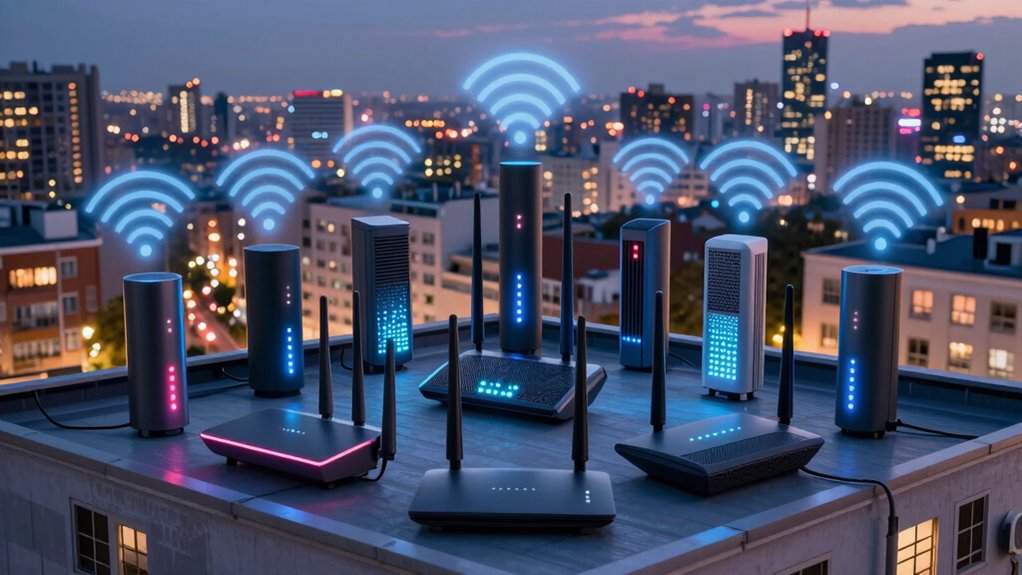

For a crowded Wi-Fi neighborhood, I’d start with the TP-Link Archer BE550: its tri-band Wi-Fi 7 design gives busy homes more room to handle competing devices and nearby networks. The GL.iNet Flint 3 stands out for buyers who want multi-gig wired ports and network controls, while the TP-Link Deco S4 is a practical mesh choice when coverage across several rooms matters more than the newest wireless standard. The tradeoff is between adding capacity, improving coverage, and keeping setup simple; no router can eliminate interference from every neighbor’s network. I ranked these 15 options by how well their features address those different needs, along with usability and flexibility. Read on for the full comparison and guidance on choosing the right fit.

Get business pricing on tech for your team
- Business-only prices and quantity discounts
- Tax-exempt purchasing
- Multiple users, one account, clear invoices
Key Takeaways
Tri-band designs lead for airtime flexibility. The amazon.com/dp/B085VM9ZDD?tag=technocapture-20&ascsubtag=dc-615826″ target=”_blank” rel=”nofollow sponsored noopener”>amazon.com/dp/B0B3SQK74L?tag=technocapture-20&ascsubtag=dc-615826″ target=”_blank” rel=”nofollow sponsored noopener”>TP-Link Archer BE550, Archer AXE75, GL.iNet Flint 3, and eero Pro 7 give busy homes an additional band to distribute compatible devices, though the band and client devices still shape the benefit.
Mesh solves a different problem than a faster single router. The Deco S4 three-pack and eero options can extend coverage across separated rooms, while a single router may be a better fit when the main issue is network congestion near the router.
Wi-Fi 7 is not the only sensible upgrade. The TP-Link AX3000 and amazon.com/dp/B0DW27FNG3?tag=technocapture-20&ascsubtag=dc-615826″ target=”_blank” rel=”nofollow sponsored noopener”>NETGEAR R6700AX offer Wi-Fi 6, which can be enough for households with older devices and no immediate need for multi-gig networking.
Entry-level AC routers have narrower roles. The Archer A54 and Archer A6 suit basic connections and modest device loads, but they offer fewer tools for a dense, modern home than the Wi-Fi 6 and Wi-Fi 7 options.
Wired connections can ease wireless contention. The Flint 3’s five 2.5G ports are a standout for a home with wired access points, a NAS, or multi-gig equipment; those ports add little if everything connects over Wi-Fi.
| NETGEAR Nighthawk WiFi 7 Router RS90 |  | Best Overall for Dense Airwaves | WiFi Standard: WiFi 7 | Max Speed: 3.6 Gbps | Coverage Area: Up to 2,000 sq ft | VIEW ON AMAZON | See Our Full Breakdown |
| Amazon eero 7 Dual-Band Mesh Wi-Fi 7 Router, 1-Pack |  | Best for Growing Into a Mesh System | Wi-Fi Standard: Wi-Fi 7 | Bands: Dual-band | Coverage: Up to 2,000 sq. ft. | VIEW ON AMAZON | See Our Full Breakdown |
| TP-Link Archer AXE75 AXE5400 Tri-Band WiFi 6E Router |  | Best Congestion Escape Hatch (6 GHz) | WiFi Standard: WiFi 6E (802.11ax) | Total Speed: 5400 Mbps | Band Speeds: 6 GHz: 2402 Mbps, 5 GHz: 2402 Mbps, 2.4 GHz: 574 Mbps | VIEW ON AMAZON | See Our Full Breakdown |
| TP-Link Archer BE230 Dual-Band BE3600 Wi-Fi 7 Router |  | Best Value Wi-Fi 7 Upgrade | Wi-Fi Standard: Wi-Fi 7 | Max Speed: BE3600 (2882 Mbps on 5 GHz, 688 Mbps on 2.4 GHz) | Processor: 2.0 GHz Quad-Core | VIEW ON AMAZON | See Our Full Breakdown |
| Amazon eero 6 Wi-Fi 6 Mesh Router, 1-Pack |  | Best for Budget Smart-Home Households | Wi-Fi Standard: Wi-Fi 6 | Coverage: Up to 1,500 sq ft | Maximum Supported Internet Speed: Up to 900 Mbps | VIEW ON AMAZON | See Our Full Breakdown |
| TP-Link AC1200 WiFi Router (Archer A54) |  | Best Budget Pick | Wireless Standard: 802.11a/b/g/n/ac (Wi-Fi 5) | Frequency Band: Dual-Band (2.4GHz + 5GHz) | Max Speed: 1200 Mbps | VIEW ON AMAZON | See Our Full Breakdown |
| TP-Link Dual-Band AX3000 Wi-Fi 6 Wireless Gigabit Router |  | Best Value Wi-Fi 6 | Wi-Fi Standard: Wi-Fi 6 (802.11ax) | Max Speed: AX3000 (2402 Mbps + 574 Mbps) | Antennas: 4 high-gain external with Beamforming | VIEW ON AMAZON | See Our Full Breakdown |
| GL.iNet Flint 3 Tri-Band Wi-Fi 7 Router with 5 × 2.5G Ports |  | Best for Power Users | Wi-Fi Standard: Wi-Fi 7 (tri-band) | Max Wi-Fi Speed: Up to 9 Gbps | Ports: 5 × 2.5 Gbps | VIEW ON AMAZON | See Our Full Breakdown |
| Amazon eero Pro 7 Tri-Band Mesh Wi-Fi 7 Router, 1-Pack |  | Best Ecosystem Pick | Wi-Fi Standard: Wi-Fi 7 (tri-band) | Coverage: Up to 2,000 sq ft per unit | Wireless Speed: Up to 3.9 Gbps | VIEW ON AMAZON | See Our Full Breakdown |
| TP-Link Tri-Band BE9300 WiFi 7 Router (Archer BE550) |  | Best Premium Performer | Wi-Fi Standard: Wi-Fi 7 (802.11be) | Bands: Tri-band (6 GHz, 5 GHz, 2.4 GHz) | Max Speed: 9.2 Gbps combined | VIEW ON AMAZON | See Our Full Breakdown |
| NETGEAR Nighthawk WiFi 6 Router R6700AX |  | Best Budget WiFi 6 Pick | WiFi Standard: WiFi 6 (802.11ax) | Max Speed: 1.8 Gbps | Coverage: Up to 1,500 sq ft | VIEW ON AMAZON | See Our Full Breakdown |
| NETGEAR Nighthawk RS140 WiFi 7 Router |  | Best for Device-Heavy Households | WiFi Standard: WiFi 7 | Bands: Dual-band (2.4 GHz / 5 GHz) | Max Speed: Up to 5 Gbps | VIEW ON AMAZON | See Our Full Breakdown |
| TP-Link Deco S4 Mesh WiFi System (3-Pack, AC1900) |  | Best Whole-Home Mesh Value | System: 3-unit mesh kit | WiFi Standard: AC1900 (WiFi 5) | Coverage: Up to 5,500 sq ft | VIEW ON AMAZON | See Our Full Breakdown |
| TP-Link Archer A6 AC1200 Dual-Band Gigabit Wi-Fi Router |  | Best Ultra-Budget Starter Router | WiFi Standard: 802.11ac (WiFi 5) | Bands: Dual-band 2.4 GHz / 5 GHz | Combined Speed: Up to 1200 Mbps | VIEW ON AMAZON | See Our Full Breakdown |
| TP-Link Archer BE400 BE6500 Dual-Band Wi-Fi 7 Router |  | Best Premium Performance Value | WiFi Standard: WiFi 7 | Bands: Dual-band 2.4 GHz / 5 GHz | Combined Bandwidth: Up to 6.5 Gbps | VIEW ON AMAZON | See Our Full Breakdown |
| router for crowded wi fi neighborhood | Device Capacity | Coverage | Security |
|---|---|---|---|
| NETGEAR Nighthawk WiFi 7 Route | Up to 50 devices | — | — |
| Amazon eero 7 Dual-Band Mesh W | 120+ devices | Up to 2,000 sq. ft. | — |
| TP-Link Archer AXE75 AXE5400 T | — | — | TP-Link HomeShield |
| TP-Link Archer BE230 Dual-Band | Up to 60 devices | — | TP-Link HomeShield |
| Amazon eero 6 Wi-Fi 6 Mesh Rou | — | Up to 1,500 sq ft | — |
| TP-Link AC1200 WiFi Router | — | Up to 1,000 sq ft | WPA3, WPA2, WPA-PSK |
| TP-Link Dual-Band AX3000 Wi-Fi | — | — | TP-Link HomeShield, WPA3 |
| GL.iNet Flint 3 Tri-Band Wi-Fi | Over 100 devices | Up to 2,000 sq ft | — |
| Amazon eero Pro 7 Tri-Band Mes | 200+ devices | Up to 2,000 sq ft per unit | — |
| TP-Link Tri-Band BE9300 WiFi 7 | — | — | HomeShield, WPA3, IoT network support |
| NETGEAR Nighthawk WiFi 6 Route | Up to 20 devices | Up to 1,500 sq ft | WPA3, automatic firmware updates |
| NETGEAR Nighthawk RS140 WiFi 7 | Up to 80 devices | Up to 2,250 sq ft | — |
| TP-Link Deco S4 Mesh WiFi Syst | Up to 100 devices | Up to 5,500 sq ft | — |
| TP-Link Archer A6 AC1200 Dual- | — | — | WPA3, parental controls, QoS |
| TP-Link Archer BE400 BE6500 Du | Up to 90 devices | Up to 2,400 sq ft | HomeShield, WPA3, VPN client/server |
More Details on Our Top Picks
NETGEAR Nighthawk WiFi 7 Router RS90
When every neighbor within a quarter mile is blasting their own 2.4 and 5 GHz networks, raw speed matters less than clean airtime management, and that’s where the RS90 earns the top spot. Its WiFi 7 OFDMA and MU-MIMO stack slices the available spectrum into far more simultaneous conversations than the older WiFi 6 eero 6 can manage, which translates to fewer stalls when fifty devices compete for a turn. Compared with the TP-Link Archer BE230, the RS90 matches its Wi-Fi 7 credentials but adds the Nighthawk app’s cleaner traffic-prioritization tools for gaming and video calls. The 2.5 Gig WAN port also means buyers on multi-gig fiber aren’t paying for speed the router can’t pass through. The honest tradeoff: NETGEAR’s security layer becomes a paid subscription after a month, and homes pushing past 2,000 sq ft will still need a satellite.
Pros:- WiFi 7 with OFDMA and MU-MIMO handles 50 devices without the stutter common on congested streets
- 2.5 Gig WAN port keeps multi-gig internet plans from being bottlenecked
- Nighthawk app makes setup and traffic prioritization genuinely simple
- 2,000 sq ft of rated coverage suits typical suburban lots
Cons:- NETGEAR Armor security requires a paid subscription after the 30-day trial
- Homes larger than 2,000 sq ft or with difficult layouts will need to add mesh nodes
- Real-world throughput drops noticeably in extreme interference environments
Best for: Owners of medium-sized homes on multi-gig fiber plans with 30+ competing devices and interference-heavy surroundings
Not ideal for: Buyers who refuse recurring subscriptions or need to cover a large multi-story house from a single unit
- WiFi Standard:WiFi 7
- Max Speed:3.6 Gbps
- Coverage Area:Up to 2,000 sq ft
- Device Capacity:Up to 50 devices
- WAN Port:2.5 Gigabit Ethernet
- LAN Ports:4x 1 Gigabit Ethernet
- Frequency Bands:Dual-band (2.4 GHz and 5 GHz)
- Compatibility:Cable, Fiber, DSL, Satellite
Our verdict“The strongest all-around choice if interference from neighboring networks is your main complaint and you want headroom for years of device growth.”
Amazon eero 7 Dual-Band Mesh Wi-Fi 7 Router, 1-Pack
The eero 7’s real pitch in a crowded neighborhood isn’t specs — it’s flexibility over time. A single unit covers about 2,000 sq ft, but unlike the standalone Nighthawk RS90, you can quietly add another eero later and let TrueMesh routing steer traffic around dead zones and competing networks automatically. Its 120+ device capacity outclasses the eero 6’s 75-device ceiling, which matters once you count bulbs, thermostats, and cameras. The two auto-sensing 2.5 GbE ports give it genuine multi-gig flexibility the Archer AXE75 can’t match on its WAN side. The compromises are real, though: wireless throughput tops out around 1.8 Gbps, so multi-gig subscribers lose speed to the airwaves, and the dual-band design means a tri-band mesh node like the eero Pro 7 will always handle backhaul more gracefully in dense RF environments.
Pros:- Expandable mesh design lets you add coverage incrementally without replacing hardware
- 120+ device capacity is generous for smart-home-heavy households
- Two auto-sensing 2.5 GbE ports handle multi-gig plans in either port role
- Three-year warranty is longer than most rivals offer
Cons:- Wireless speed tops out around 1.8 Gbps, throttling multi-gig plans
- Dual-band design makes wireless backhaul slower than tri-band mesh options when you add nodes
Best for: Buyers who want to start with one router now and expand node-by-node as their home or device count grows
Not ideal for: Multi-gig subscribers who need full wireless speed, since the dual-band radio caps out well below wired capacity
- Wi-Fi Standard:Wi-Fi 7
- Bands:Dual-band
- Coverage:Up to 2,000 sq. ft.
- Maximum Internet Plan Speed:Up to 2.5 Gbps
- Ethernet Ports:Two auto-sensing 2.5 GbE ports
- Device Capacity:120+ devices
- Warranty:Three years
- Pack Size:1
Our verdict“The right pick if your crowded-neighborhood problem is likely to become a whole-home coverage problem within a few years.”
TP-Link Archer AXE75 AXE5400 Tri-Band WiFi 6E Router
Here’s the strategy most routers in this roundup can’t pull off: the AXE75’s dedicated 6 GHz band is essentially a private lane most of your neighbors haven’t found yet, because their older routers can’t touch it. While the Wi-Fi 7 Archer BE230 fights for the same crowded 5 GHz spectrum as everyone else, this router moves your gaming rig and work laptop onto near-empty airwaves with 2,402 Mbps of low-latency capacity. The tradeoff for that escape hatch is generational: it’s Wi-Fi 6E, not 7, so you give up Multi-Link Operation and 4K-QAM efficiency, and your 6 GHz devices need to be reasonably close since that band attenuates through walls faster. Compared with the Nighthawk RS90, you also lose the multi-gig WAN — everything here is gigabit Ethernet. Still, for pure interference relief today, nothing else at this tier matches it.
Pros:- Dedicated 6 GHz band sidesteps neighborhood interference entirely
- Tri-band design keeps older devices from bogging down your priority traffic
- Built-in VPN server and client support at no extra hardware cost
- EasyMesh compatibility allows coverage expansion later
Cons:- Wi-Fi 6E rather than Wi-Fi 7 — no Multi-Link Operation or 4K-QAM
- 6 GHz range is shorter, so distant rooms lose the congestion advantage
- Advanced HomeShield features sit behind a premium subscription
Best for: Gamagers and remote workers with 6 GHz-capable laptops or consoles who need latency relief in apartment buildings
Not ideal for: Households with mostly older devices that can’t use the 6 GHz band, or multi-gig internet subscribers limited by gigabit ports
- WiFi Standard:WiFi 6E (802.11ax)
- Total Speed:5400 Mbps
- Band Speeds:6 GHz: 2402 Mbps, 5 GHz: 2402 Mbps, 2.4 GHz: 574 Mbps
- Processor:1.0 GHz Dual-Core CPU
- Security:TP-Link HomeShield
- VPN Support:Server and Client (OpenVPN, PPTP, L2TP)
- Mesh Compatibility:EasyMesh
- Warranty:2 Years
Our verdict“The smartest pick when the goal is escaping crowded airwaves rather than brute-forcing through them.”
TP-Link Archer BE230 Dual-Band BE3600 Wi-Fi 7 Router
Not everyone needs the fastest router on the block — sometimes the goal is simply getting modern Wi-Fi 7 efficiency without the flagship price tag, and the BE230 nails that brief. Its Multi-Link Operation lets devices transmit across two bands simultaneously, which spreads the load in ways older routers can’t, and the 2.0 GHz quad-core processor is actually stronger silicon than the one inside the pricier Archer AXE75. The dual 2.5 Gbps ports also beat the RS90’s single multi-gig port for buyers who want a fast wired NAS alongside their WAN connection. The obvious sacrifice versus the AXE75 is the missing 6 GHz band, meaning this router competes on the same crowded spectrum it’s trying to survive — a real limitation in the densest neighborhoods. Device capacity of 60 also trails the eero 7’s 120+.
Pros:- Wi-Fi 7 with Multi-Link Operation and 4K-QAM at an accessible price point
- Two 2.5 Gbps ports support multi-gig WAN and a fast wired device simultaneously
- Strong 2.0 GHz quad-core CPU handles busy device loads smoothly
- Tether app setup is among the least intimidating in this category
Cons:- No 6 GHz band means it fights congestion on the same spectrum as everyone else
- Requires a separate modem, adding cost for cable subscribers
- 60-device ceiling is lower than mesh rivals in the same roundup
Best for: Budget-conscious upgraders who want Wi-Fi 7 efficiency and multi-gig wired ports without paying flagship prices
Not ideal for: Dense apartment dwellers who specifically need the 6 GHz escape lane that tri-band rivals provide
- Wi-Fi Standard:Wi-Fi 7
- Max Speed:BE3600 (2882 Mbps on 5 GHz, 688 Mbps on 2.4 GHz)
- Processor:2.0 GHz Quad-Core
- Ports:1x 2.5G WAN/LAN, 1x 2.5G LAN, 3x 1G LAN
- Coverage Area:Up to 2,000 sq ft
- Device Capacity:Up to 60 devices
- Antennas:4 Internal
- Security:TP-Link HomeShield
Our verdict“The value play for homeowners who want modern efficiency and wired speed rather than a spectrum escape route.”
Amazon eero 6 Wi-Fi 6 Mesh Router, 1-Pack
The eero 6 is the entry point of this lineup, and its case rests on simplicity plus a hidden bonus: the built-in Zigbee hub eliminates a separate smart-home bridge, something no other router here offers. In a crowded neighborhood, its TrueMesh software continuously reroutes traffic around interference patterns — less dramatic than the Archer AXE75’s 6 GHz escape lane, but surprisingly effective for everyday streaming and browsing. Against its newer sibling, the eero 7, it accepts slower Wi-Fi 6 radios and a 900 Mbps speed ceiling, which is fine on typical cable plans but a hard pass for fiber subscribers. The 1,500 sq ft coverage also assumes friendly walls; in a heavily interfered townhouse, adding a second node may be unavoidable. Setup through the app is about as painless as networking gets, and automatic updates mean it quietly stays secure.
Pros:- Built-in Zigbee hub replaces a separate smart-home bridge
- TrueMesh software adapts routing around neighborhood interference automatically
- App-guided setup and remote management are beginner-friendly
- Automatic security and feature updates require zero maintenance
Cons:- 900 Mbps speed ceiling throttles faster internet plans
- 1,500 sq ft coverage is modest and drops further with interference or thick walls
- Wi-Fi 6 radios lack the efficiency features of Wi-Fi 7 rivals in this lineup
Best for: Renters and first-time network owners with standard internet plans who already own or want Zigbee smart devices
Not ideal for: Gigabit-plus fiber subscribers or large homes, where the 900 Mbps ceiling and 1,500 sq ft rating become bottlenecks
- Wi-Fi Standard:Wi-Fi 6
- Coverage:Up to 1,500 sq ft
- Maximum Supported Internet Speed:Up to 900 Mbps
- Connected Devices:75+
- Smart Home Hub:Built-in Zigbee
- Mesh Technology:TrueMesh
- Package Size:1-pack
Our verdict“A sensible, low-stress starter router for modest homes — provided your internet plan and square footage stay modest too.”
TP-Link AC1200 WiFi Router (Archer A54)
Not every household fighting a congested airwave needs cutting-edge hardware. The Archer A54 earns a spot as the budget entry point because it handles the fundamentals — dual-band AC1200, four external antennas, and WPA3 — at the lowest tier of this lineup. Compared with the TP-Link Archer A6, its EasyMesh compatibility is the differentiator: you can add mesh nodes later instead of replacing the whole router when interference from neighbors overwhelms a single unit. That said, the absence of Wi-Fi 6 means no OFDMA, the specific technology that manages many devices on busy networks, so it will struggle in the densest environments where the Archer AX3000 thrives.
Pros:- EasyMesh support lets you expand into a mesh network without discarding the router
- WPA3 security is rare at this price tier
- Four external antennas deliver steadier signal than internal-antenna budget rivals
- Tether app makes setup and management genuinely simple
Cons:- No Wi-Fi 6, so it lacks OFDMA efficiency for crowded airwaves
- 1,000 sq ft coverage is the smallest footprint in this roundup
- Requires a separate modem
Best for: Renters or small apartments (under 1,000 sq ft) who want a cheap, WPA3-secured stopgap that can grow into a mesh system later
Not ideal for: Households with 20+ connected devices or gigabit internet plans — AC1200 hardware will bottleneck both
- Wireless Standard:802.11a/b/g/n/ac (Wi-Fi 5)
- Frequency Band:Dual-Band (2.4GHz + 5GHz)
- Max Speed:1200 Mbps
- Coverage:Up to 1,000 sq ft
- Antennas:4 external
- Security:WPA3, WPA2, WPA-PSK
- Ports:5
- Management:TP-Link Tether app
Our verdict“A sensible, low-cost entry for modest homes that want a mesh-ready upgrade path rather than raw congestion handling.”
TP-Link Dual-Band AX3000 Wi-Fi 6 Wireless Gigabit Router
This is the value sweet spot of the roundup. For buyers who can’t justify Wi-Fi 7 pricing on routers like the Archer BE550, the AX3000 delivers the single most important feature for crowded neighborhoods: OFDMA, which slices channels so dozens of devices share airtime without collisions. Its four high-gain antennas with Beamforming direct signal toward your devices rather than broadcasting blindly into your neighbor’s walls — a real advantage over the entry-level Archer A54. The tradeoff is that advanced HomeShield features sit behind a subscription, and there’s no 6 GHz band to escape congestion entirely, which tri-band models like the Archer AXE75 offer at a higher price.
Pros:- Wi-Fi 6 with OFDMA and Target Wake Time for efficient multi-device performance
- Beamforming plus high-gain antennas focus signal where it’s needed
- Free basic HomeShield security and parental controls included
- Alexa compatibility and ISP flexibility make deployment painless
Cons:- Best HomeShield security tools require a paid subscription
- No 6 GHz band means no escape hatch from the most congested spectrum
- Requires a separate modem
Best for: Suburban families on plans under 1 Gbps who have 25-40 connected devices and want congestion relief without Wi-Fi 7 pricing
Not ideal for: Gigabit-plus subscribers and smart homes leaning heavily on 6 GHz — the dual-band design and gigabit ports cap wired throughput
- Wi-Fi Standard:Wi-Fi 6 (802.11ax)
- Max Speed:AX3000 (2402 Mbps + 574 Mbps)
- Antennas:4 high-gain external with Beamforming
- Security:TP-Link HomeShield, WPA3
- Key Features:OFDMA, Target Wake Time, QoS, Guest Mode
- Smart Home:Amazon Alexa compatible
- Ports:Gigabit
Our verdict“The smartest spend for most buyers — modern congestion-management features at a midrange price, as long as 6 GHz isn’t a priority.”
GL.iNet Flint 3 Tri-Band Wi-Fi 7 Router with 5 × 2.5G Ports
The Flint 3 plays a different game than everything else here. Where the Archer BE550 chases maximum throughput, GL.iNet builds for tinkerers and privacy-minded users: a Linux-based operating system, built-in AdGuard Home network-wide ad blocking, and native VPN speeds up to 680 Mbps via WireGuard — something mainstream routers like the eero Pro 7 simply don’t expose. Five 2.5G ports and tri-band Wi-Fi 7 with Multi-Link Operation make it genuinely capable in dense RF environments too. The compromise is polish: a firmware update is recommended during initial setup, and the configuration experience assumes some comfort with networking concepts that eero buyers never encounter.
Pros:- Native WireGuard/OpenVPN at up to 680 Mbps without third-party firmware
- Five 2.5G ports provide wired headroom rare at this tier
- AdGuard Home blocks ads and trackers for every device on the network
- Handles 100+ devices across tri-band Wi-Fi 7 with MLO
Cons:- Setup assumes technical comfort and a recommended firmware update out of the box
- Real-world VPN throughput varies with server and network conditions
- Smaller support ecosystem than TP-Link or Amazon alternatives
Best for: Tech enthusiasts who want VPN integration, ad blocking, and deep configuration control alongside serious Wi-Fi 7 hardware
Not ideal for: Buyers who want a plug-and-play appliance — the Linux-based firmware and manual configuration options add friction the average household doesn’t want
- Wi-Fi Standard:Wi-Fi 7 (tri-band)
- Max Wi-Fi Speed:Up to 9 Gbps
- Ports:5 × 2.5 Gbps
- VPN Speed:Up to 680 Mbps (WireGuard/OpenVPN)
- Device Capacity:Over 100 devices
- Coverage:Up to 2,000 sq ft
- Hardware:1 GB DDR4 RAM, 8 GB eMMC storage
- Special Features:AdGuard Home, Bark parental controls, MLO
Our verdict“The pick for hands-on users who treat a router as a platform — skip it if you just want something that works out of the box.”
Amazon eero Pro 7 Tri-Band Mesh Wi-Fi 7 Router, 1-Pack
The eero Pro 7 competes on simplicity and scalability, not raw specs. Its 200+ device capacity and tri-band Wi-Fi 7 handle dense smart homes well, but the real argument is mesh: unlike the standalone Archer BE550, adding a second eero later extends coverage with true self-healing backhaul, and backward compatibility with older eero units protects your existing investment. Two auto-sensing 5 GbE ports outclass the 2.5G ports on the GL.iNet Flint 3 for wired backbone speed. The tradeoff is control — there’s no ad blocking, no VPN client, and limited advanced configuration, and certain features are gated to select Amazon Echo devices, which nudges you deeper into one ecosystem.
Pros:- 200+ device capacity suits heavily loaded smart homes
- Two auto-sensing 5 GbE ports support multi-gig wired backhaul
- Backward compatible with prior eero generations for incremental expansion
- Supports internet plans up to 5 Gbps with a three-year warranty
Cons:- Closed ecosystem with no VPN client or network-wide ad blocking
- Some features work only on select Amazon Echo hardware
- Single unit caps coverage at 2,000 sq ft unless you buy more eeros
Best for: Alexa-centric households and small businesses that value effortless setup, future mesh expansion, and huge device counts over tweakability
Not ideal for: Power users who want VPN, ad blocking, or granular QoS controls — eero’s closed system keeps those doors shut
- Wi-Fi Standard:Wi-Fi 7 (tri-band)
- Coverage:Up to 2,000 sq ft per unit
- Wireless Speed:Up to 3.9 Gbps
- Supported Plans:Up to 5 Gbps
- Ethernet:2 × auto-sensing 5 GbE
- Device Capacity:200+ devices
- Warranty:Three years
Our verdict“Choose this if effortless expansion and device density matter more than advanced controls; look elsewhere if you like to tinker.”
TP-Link Tri-Band BE9300 WiFi 7 Router (Archer BE550)
For buyers whose priority is maximum performance in hostile RF environments, the Archer BE550 is the strongest standalone router in this batch. Its dedicated 6 GHz band is the killer feature for crowded neighborhoods — spectrum most neighboring networks can’t touch — plus 320 MHz channels and Multi-Link Operation to spread traffic across bands. Every port is 2.5G, beating the gigabit ports on the AX3000 for wired longevity, and six smart antennas outgun the Flint 3’s four for reach. Compared with the eero Pro 7, you get far more control and faster combined throughput, but no mesh out of the box — EasyMesh nodes cost extra — and the best HomeShield features still demand a subscription.
Pros:- Dedicated 6 GHz band sidesteps the most congested spectrum entirely
- Full 2.5G WAN and LAN ports across all five ports
- EasyMesh support allows adding nodes for whole-home coverage later
- MLO, 320 MHz channels, and 4K-QAM push combined speeds to 9.2 Gbps
Cons:- Advanced HomeShield security and parental controls require a premium subscription
- Single-unit coverage requires extra EasyMesh nodes for larger homes
- Requires a separate modem for most ISPs
Best for: Enthusiasts and large households on multi-gig plans who want a 6 GHz escape lane from neighborhood interference and heavy wired capacity
Not ideal for: Budget-conscious buyers or those with sub-500 Mbps plans — the Wi-Fi 7 hardware will go largely untapped
- Wi-Fi Standard:Wi-Fi 7 (802.11be)
- Bands:Tri-band (6 GHz, 5 GHz, 2.4 GHz)
- Max Speed:9.2 Gbps combined
- 6 GHz Speed:5760 Mbps
- Ports:1 × 2.5G WAN, 4 × 2.5G LAN
- Antennas:6 smart optimized
- Security:HomeShield, WPA3, IoT network support
- VPN:VPN client & server
- Setup:Tether app (Android/iOS)
Our verdict“The most capable standalone router here for congested airwaves — worth it only if your internet plan and device count can actually use it.”
NETGEAR Nighthawk WiFi 6 Router R6700AX
For someone in a dense apartment building who wants WiFi 6 airtime efficiency without paying for WiFi 7 hardware, this model makes a lot of sense. OFDMA scheduling on WiFi 6 helps many devices share a congested channel politely — the core problem in crowded neighborhoods — and the 1.8 Gbps ceiling covers typical cable and fiber plans. Compared with the TP-Link Archer A6, the R6700AX handles far more simultaneous devices with less slowdown, though it gives up nothing on price-for-coverage. Compared with the Nighthawk RS140, it lacks a multi-gig WAN port, so gigabit-plus plans are wasted on it.
The honest tradeoff: 1,500 sq ft of coverage means single-floor apartments and small homes only, and NETGEAR Armor’s security extras become a paid subscription after the 30-day trial. Basic WPA3 and auto firmware updates stay free, which is what matters most.
Pros:- WiFi 6 OFDMA dramatically improves performance when neighbors crowd the same channels
- 1.8 Gbps is plenty for streaming, gaming, and smart home loads
- Four Gigabit LAN ports for wired consoles and desktops
- Free app management and WPA3 without mandatory subscriptions
Cons:- Coverage stops at 1,500 sq ft, ruling out larger homes
- NETGEAR Armor security requires a paid subscription after the 30-day trial
- Only a 1 Gbps WAN port — multi-gig internet plans can’t reach full speed
Best for: Apartment dwellers with gigabit-or-under plans and 15–20 connected devices who want WiFi 6 congestion handling at a lower price
Not ideal for: Larger multi-floor homes or households on 2 Gbps+ fiber — the coverage ceiling and gigabit WAN port will bottleneck both
- WiFi Standard:WiFi 6 (802.11ax)
- Max Speed:1.8 Gbps
- Coverage:Up to 1,500 sq ft
- Device Capacity:Up to 20 devices
- Ethernet:4x 1 Gigabit LAN, 1x 1 Gigabit WAN
- Security:WPA3, automatic firmware updates
- Management:Nighthawk app (iOS/Android)
Our verdict“The smart money pick for small apartments where neighbor interference, not square footage, is the enemy.”
NETGEAR Nighthawk RS140 WiFi 7 Router
Where the R6700AX tops out at 20 devices, the RS140 is built for homes pushing up to 80 connected devices — smart bulbs, cameras, thermostats, laptops, consoles, all at once. WiFi 7 features like wider channel access help most exactly where this roundup’s readers live: packed neighborhoods where every house is broadcasting. The 2.5 Gig WAN port also future-proofs it against multi-gig fiber, something the R6700AX simply can’t use.
Compared with the TP-Link Archer BE400, the RS140 is the more device-focused choice but the slower of the two on paper (5 Gbps vs 6.5 Gbps combined), and it lacks a second multi-gig LAN port for a fast wired backhaul to a switch. Coverage of 2,250 sq ft handles most two-story homes, though the Armor subscription upsell after 30 days is an annoyance worth budgeting around.
Pros:- 80-device capacity suits modern smart homes with dozens of IoT clients
- 2.5 Gig WAN port keeps multi-gig fiber plans from being bottlenecked
- WiFi 7 efficiency helps in interference-heavy surroundings
- 2,250 sq ft of coverage fits most two-story homes
Cons:- NETGEAR Armor becomes a recurring paid subscription after the 30-day trial
- Only one multi-gig port, and LAN ports are limited to 1 Gigabit
- Requires an existing modem or gateway — no built-in option
Best for: Smart-home-heavy households on multi-gig internet plans who need 50+ devices online simultaneously without lag
Not ideal for: Budget buyers or anyone who resents subscription upsells — the useful security layer disappears after the trial unless you pay
- WiFi Standard:WiFi 7
- Bands:Dual-band (2.4 GHz / 5 GHz)
- Max Speed:Up to 5 Gbps
- Coverage:Up to 2,250 sq ft
- Device Capacity:Up to 80 devices
- Ports:1x 2.5 Gig WAN, 3x 1 Gig LAN
- Management:Nighthawk app (iOS/Android)
Our verdict“The right call if your device list reads like an inventory manifest and your internet plan exceeds a gigabit.”
TP-Link Deco S4 Mesh WiFi System (3-Pack, AC1900)
A single router — even a strong one like the Nighthawk RS140 — struggles when interior walls and square footage get involved. The Deco S4 attacks that problem differently: three units blanketing up to 5,500 sq ft under one network name, with devices roaming automatically. In a crowded neighborhood, spreading access points around your home also means your devices connect to a closer, stronger signal instead of shouting through walls to one distant router.
The compromise is speed. AC1900 is a WiFi 5-era spec, so per-device throughput trails every WiFi 6 and 7 option in this lineup — the Archer A6 even outclasses it on paper for a single room. But raw speed matters less than coverage consistency for most families, and wired Ethernet backhaul support lets you firm things up if your home is pre-wired. Parental controls and 100-device capacity round out a package aimed squarely at households, not enthusiasts.
Pros:- 5,500 sq ft of coverage from three coordinated units
- Seamless roaming with a single network name and password
- Wired Ethernet backhaul support for maximum mesh stability
- Strong parental controls and 100-device capacity for busy households
Cons:- AC1900 WiFi 5 speeds lag well behind WiFi 6 and 7 alternatives in this roundup
- Requires a separate modem for most ISPs
- Only 2 Ethernet ports per unit limits wired expansion
Best for: Families in larger or awkwardly laid-out homes who value eliminating dead zones over maximum per-device speed
Not ideal for: Speed-focused users with gigabit-plus plans — AC1900 backhaul and throughput will throttle heavy single-device workloads
- System:3-unit mesh kit
- WiFi Standard:AC1900 (WiFi 5)
- Coverage:Up to 5,500 sq ft
- Device Capacity:Up to 100 devices
- Ethernet:2 ports per unit (6 total)
- Backhaul:Wired Ethernet supported
- Extras:Alexa compatible, parental controls
Our verdict“Coverage-first buyers with big homes should pick this over any single router here; speed chasers should not.”
TP-Link Archer A6 AC1200 Dual-Band Gigabit Wi-Fi Router
Not everyone needs to fight the neighborhood’s airwaves with WiFi 7 — sometimes you just need a dependable router for a modest plan and a handful of devices. The Archer A6 fills that slot. Beamforming and four external antennas help it punch through interference better than its price suggests, and MU-MIMO keeps a few simultaneous streams from tripping over each other. The Access Point mode is a genuinely useful extra, letting it extend an existing network later instead of becoming e-waste.
Be clear-eyed about the gap, though: this is WiFi 5 hardware, and in a genuinely congested building it will feel the squeeze sooner than the R6700AX, whose WiFi 6 scheduling is purpose-built for crowded channels. TP-Link’s own spec sheet is also inconsistent on 5 GHz speed (900 vs 867 Mbps), which tells you this is a value product, not a flagship. Still, OneMesh support means it can grow into a small mesh with a compatible extender.
Pros:- Four external antennas with Beamforming for the price
- Access Point and OneMesh modes add flexibility most budget routers skip
- Four Gigabit LAN ports despite the low positioning
- WPA3 and MU-MIMO included
Cons:- WiFi 5 lacks the congestion-management of WiFi 6 — a real handicap in crowded RF environments
- TP-Link lists conflicting 5 GHz speeds (900 vs 867 Mbps), a sign of loose spec discipline
- AC1200 combined throughput caps out quickly for modern households
Best for: First-time router buyers on sub-200 Mbps plans with fewer than 10 devices, or anyone needing a cheap access point
Not ideal for: Dense apartments with heavy neighbor interference and gigabit plans — WiFi 5 and AC1200 speeds will bottleneck quickly
- WiFi Standard:802.11ac (WiFi 5)
- Bands:Dual-band 2.4 GHz / 5 GHz
- Combined Speed:Up to 1200 Mbps
- Ethernet:4 Gigabit LAN ports
- Antennas:4 external with Beamforming
- Modes:Router, Access Point, OneMesh, Guest
- Security:WPA3, parental controls, QoS
Our verdict“A legitimate bare-minimum pick for light use, but crowded-neighborhood dwellers with fast plans should spend up.”
TP-Link Archer BE400 BE6500 Dual-Band Wi-Fi 7 Router
This is the router for buyers who want modern WiFi 7 tech — MLO, 4K-QAM, Multi-RUs — without stepping all the way up to tri-band money. Those features aren’t marketing fluff in a crowded neighborhood: Multi-RU allocation lets the router carve messy, partially-occupied channels into usable slices, which is exactly the interference problem dense housing creates. With 6.5 Gbps combined bandwidth and 90-device capacity, it outguns the Nighthawk RS140 on paper while offering more multi-gig wired ports (two 2.5 Gbps) for NAS or switch uplinks.
Two caveats shape the decision. It’s dual-band, so there’s no dedicated 6 GHz band like tri-band WiFi 7 options — your devices share 2.4 and 5 GHz with everyone else’s. And while EasyMesh expansion is supported, it won’t join a TP-Link Deco system like the Deco S4, so plan your expansion around compatible extenders. HomeShield’s better parental tools sit behind a subscription, but VPN client/server support is built in.
Pros:- WiFi 7 features (MLO, Multi-RUs, 4K-QAM) directly combat channel congestion
- Two 2.5 Gbps ports plus three Gigabit LAN ports for wired-heavy setups
- Up to 90 devices across 2,400 sq ft of coverage
- Built-in VPN client/server and WPA3 security
Cons:- Dual-band only — no dedicated 6 GHz band to escape the crowded 5 GHz spectrum
- Not compatible with Deco mesh systems, limiting expansion choices
- Advanced HomeShield features require a subscription
Best for: Enthusiasts and home-office users on gigabit-plus plans who want WiFi 7 interference handling and fast wired backhaul without tri-band pricing
Not ideal for: Households already invested in Deco mesh hardware — incompatibility forces a full rework of the network
- WiFi Standard:WiFi 7
- Bands:Dual-band 2.4 GHz / 5 GHz
- Combined Bandwidth:Up to 6.5 Gbps
- Coverage:Up to 2,400 sq ft
- Device Capacity:Up to 90 devices
- Ports:2x 2.5 Gbps, 3x 1 Gbps LAN
- Streams / Antennas:6 streams, 6 external antennas
- Security:HomeShield, WPA3, VPN client/server
Our verdict“The most future-proofed single router in this batch for interference-fighting, as long as you don’t need a third band or Deco compatibility.”

How We Picked
I compared these routers on the features that can help in a neighborhood where many nearby networks compete for airtime: band configuration, Wi-Fi generation, mesh support, wired connectivity, and the ability to place devices across a home. I also considered setup and management, since useful network controls only help if a household can put them to work. Product names and wireless class figures alone do not predict real-world speed; building materials, router placement, client hardware, and local interference all affect results.
The order favors options with a useful mix of capacity, coverage flexibility, and practical connectivity for busy homes. The Archer BE550 leads as a balanced tri-band Wi-Fi 7 standalone choice, while the Flint 3 ranks highly for wired flexibility and advanced control. Mesh products earn their place for homes with coverage gaps, not simply because they are mesh. Simpler or older-generation routers rank lower for crowded environments, though they can still suit smaller homes, lighter device loads, or buyers with basic needs.
Factors to Consider When Choosing Router For Crowded Wi Fi Neighborhoods
I’d first identify whether your main frustration is congestion, weak coverage, or devices competing for wireless airtime. Those problems can feel similar, but they call for different purchases. These factors help narrow the choice before you focus on router labels or speed classes.
Separate congestion from coverage gaps
A slow connection in one distant room may come from weak signal, while slowdowns near the router can point to congestion or an internet plan bottleneck. Walk through the home with a device and note where performance drops and when it happens. If the signal fades behind floors or thick walls, a mesh system or wired access point may help more than a faster single router. If the signal is strong but many devices are active, prioritize capacity and ways to distribute clients across bands. Adding mesh nodes without a placement plan can create extra wireless traffic and may not improve a crowded channel. Where possible, connect mesh nodes to one another with Ethernet for a steadier backhaul.
Treat bands as shared capacity, not private lanes
Dual-band routers divide clients between 2.4 GHz and 5 GHz, while tri-band models add another band that compatible devices can use. That extra band can reduce competition among a large set of devices, but it does not create unlimited airtime or stop neighboring networks from using the same spectrum. Many smart home devices only support 2.4 GHz, so check how a router handles band steering and device setup before buying. A tri-band model is most useful when enough of your active devices can use its additional band. If most devices are older or low traffic, a well-placed dual-band Wi-Fi 6 router may be a more sensible fit.
Check device compatibility before paying for a new Wi-Fi generation
A Wi-Fi 7 router can serve older devices, but those clients will not gain Wi-Fi 7 features without compatible hardware. List the phones, laptops, TVs, and consoles you expect to keep for the next few years, then check which Wi-Fi standards they support. A router upgrade can still improve household management or wired connectivity even when clients are older, but the wireless gains may be limited. Wi-Fi 6 remains a capable option for many homes and can handle multiple active devices without requiring a full device refresh. Consider a newer standard when you plan to buy compatible devices or need the router’s other features, rather than treating the generation number as a guarantee of faster service.
Decide whether Ethernet backhaul and multi-gig ports matter
Ethernet can remove some devices from the shared wireless airtime and provide a dependable connection between mesh nodes. Multi-gig ports are useful when your internet service, local network hardware, or wired clients can use speeds above one gigabit. They will not make a typical Wi-Fi device faster by themselves, and a fast port cannot overcome a slower modem or service plan. Before choosing a router for its port count, map the equipment you can actually wire, including a desktop, console, NAS, or access point. Renters and households without convenient cable runs may get more value from good placement and mesh flexibility. Match the wired features to equipment you own or expect to add.
Plan for placement, interference, and channel management
Put the main router in an open, central position when your layout allows, rather than inside a cabinet or at the edge of the home. Neighboring networks compete most directly on overlapping channels, but automatic channel selection may not always find the best choice as nearby networks change. Check whether the router gives you clear controls for channel selection, band steering, and scheduled updates if you are comfortable managing them. Avoid buying an unusually complex router if nobody in the household will maintain its settings. A router with useful automatic management can be a better everyday choice than one with many controls that remain untouched. Recheck performance after moving the router or adding nodes, since placement changes can matter as much as a settings adjustment.
Choose a support model your household can maintain
Some routers emphasize a straightforward app and guided setup, while others offer deeper controls that take time to learn. Decide who will handle firmware updates, guest access, parental controls, and troubleshooting before selecting a management style. Check whether any features you want require an account, subscription, or ongoing service, and read the current terms for those features. A mesh system can make coverage management easier, but it may provide fewer advanced controls than a traditional router. If you need custom DNS, VLANs, or detailed firewall rules, verify that the model supports them rather than assuming every router does. Ease of maintenance matters in a shared home because neglected updates and confusing settings can make a capable router frustrating to own.
Frequently Asked Questions
Should I replace my router if neighbors’ networks appear on every channel?
Seeing many nearby networks does not by itself prove that your router is the problem. First check whether slowdowns affect every device and location or only one room, and compare performance at different times of day. If a strong signal still slows when many household devices are active, a newer router with better band distribution may help. If performance mainly drops at a distance, improve placement or consider mesh coverage. Also confirm that your internet plan and modem are not limiting the connection before replacing equipment.
Will a Wi-Fi 7 router make my older devices faster?
Older devices can connect to Wi-Fi 7 routers, but they continue to use the capabilities of their own wireless hardware. You may still gain from improved capacity for other compatible devices or from newer wired ports, depending on the router and home network. If your clients are mostly Wi-Fi 5 or Wi-Fi 6, a Wi-Fi 6 router may deliver a better fit for the household’s actual equipment. Consider your next device refresh cycle and how long you plan to keep the router. The generation label alone cannot promise a speed increase for every device.
Is mesh better than a tri-band router for a crowded apartment building?
It depends on whether the primary problem is a weak signal across your home or too many devices sharing airtime near the router. A tri-band router can give compatible clients another band to use, while mesh adds access points that extend coverage to distant rooms. Wireless mesh nodes still communicate over radio, so a crowded environment can affect their link as well. In a compact apartment with a strong signal, one capable router may be simpler and avoid adding another wireless hop. For a long or multi-level home, mesh can help if nodes have good placement or a wired backhaul.
Do I need multi-gig Ethernet to reduce Wi-Fi interference?
No. Multi-gig Ethernet does not change how neighboring wireless networks use radio channels. Its value is that wired computers, storage, access points, or mesh backhaul can avoid some wireless traffic and take advantage of a faster local connection. A gigabit connection is enough for many households, especially when internet service and wired devices do not exceed that rate. Check the speed of your modem, service plan, and connected equipment before paying for more port capacity. If few devices can be wired, prioritize coverage and wireless management instead.
When is an older AC router still a reasonable choice?
An AC router can make sense for a small home, a limited number of active devices, or a basic connection where cost and simplicity matter more than the newest features. It may also be fine as a temporary replacement if your current router has failed and your devices are older. In a dense household with frequent video calls, streaming, gaming, and smart home traffic, Wi-Fi 6 or newer gives you more room to grow. Check whether the AC model still receives firmware updates and has the coverage your layout needs. Avoid choosing by its advertised speed class alone, since that figure does not capture real-world performance in a congested home.
Conclusion
For most crowded homes seeking a standalone router, I’d choose the TP-Link Archer BE550 as best overall for its tri-band Wi-Fi 7 approach. The TP-Link AX3000 is my value pick for households that want Wi-Fi 6 without moving to a newer generation, and the Amazon eero 6 is my beginner choice for app-guided mesh setup. For a premium mesh option, the eero Pro 7 suits buyers who want tri-band Wi-Fi 7 with room-wide coverage; the GL.iNet Flint 3 is a better match for advanced users with wired multi-gig gear and a taste for network controls. Choose the Deco S4 three-pack when reaching multiple rooms matters more than having the latest wireless generation. The right pick depends on whether your home needs more capacity, more reach, or more control.
Halloween Picks
halloween
As an affiliate, we earn on qualifying purchases.