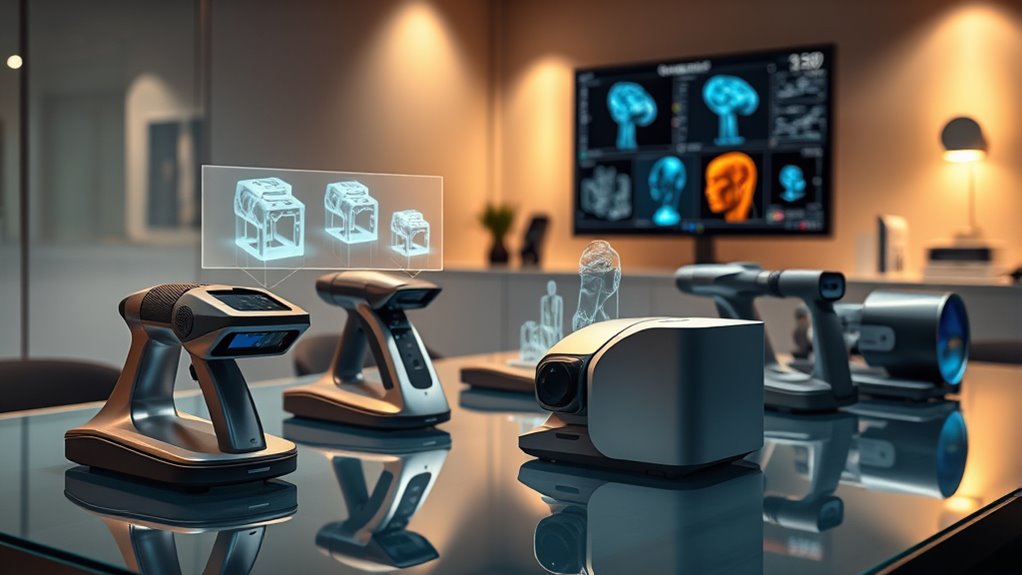

3D scanners have become essential tools across industries, from manufacturing to creative arts. The best models balance precision, speed, and ease of use, but tradeoffs often exist between price and performance. The Revopoint INSPIRE 2 stands out for its high accuracy and wireless operation, making it ideal for professional workflows. Meanwhile, the Creality CR-Scan Ferret offers a more affordable option for hobbyists and small businesses, though with less advanced features. If you’re choosing a 3D scanner, understanding your specific needs and budget will be key. Continue reading for a detailed breakdown of the top options in 2026.
Key Takeaways
- High-precision models like the Revopoint INSPIRE 2 dominate professional applications, but come at a higher cost.
- Wireless and handheld features significantly improve ease of use and flexibility, especially for scanning larger objects.
- Entry-level scanners often sacrifice some accuracy or speed but can be suitable for hobbyists and small projects.
- Laser-based scanners generally provide better detail and accuracy compared to structured light or infrared options.
- Price ranges vary widely; investing in a more capable scanner often reduces the need for future upgrades.






More Details on Our Top Picks
Revopoint MetroX Pro 3D Scanner for Industrial-Grade Precision and Full Color Scanning
The Revopoint MetroX Pro stands out for its exceptional 0.01mm accuracy combined with full-color realism, making it ideal for complex industrial tasks like reverse engineering and quality inspection. Compared to the Revopoint MetroY Ultra, it offers slightly higher precision but requires Windows-only software, which can be limiting for some users. Its multiple scanning modes and automated turntable boost efficiency, yet the need for paid software and a learning curve might challenge newcomers. This model is best suited for professionals who prioritize accuracy and detailed surface capture over user-friendliness or cross-platform flexibility.
Pros:- Exceptional 0.01mm accuracy for detailed industrial applications
- Full-color, realistic 3D scans enhance visual fidelity
- Multiple scanning modes for diverse surface types and applications
- Automated turntable increases scanning efficiency
Cons:- Limited to Windows OS, restricting cross-platform use
- Paid software options may add to overall cost
- Steep learning curve for users unfamiliar with industrial scanners
Best for: Industrial engineers, reverse engineers, and quality inspectors needing high-precision, full-color scans with reliable repeatability.
Not ideal for: Casual hobbyists or users seeking a portable, easy-to-use scanner on multiple platforms, due to its Windows-only ecosystem and complexity.
- Scanning Modes:30 Cross-line Lasers, 15 Parallel Lines, 62-line Full-field Blue Structured Light
- Accuracy:0.02 mm
- Precision:0.01 mm
- Points per Second:up to 7 million
- Color Capture:HD RGB camera
- Surface Compatibility:Shiny, dark, flat surfaces
Our verdict“This is the best choice for professionals needing high-precision, full-color scans in an industrial setting who can handle a more complex setup.”
Creality 3D Scanner for Automotive & Engineering Projects with Metrology-Grade 0.02mm Accuracy, 7 Blue Lasers, Anti-Shake Tracking, Up to 60FPS Scanning Speed (Raptor)
The Creality Raptor offers reliable 0.02mm accuracy with dual blue light and infrared modes, making it a solid choice for automotive and engineering tasks. Unlike the Revopoint MetroX Pro, it emphasizes speed and flexibility, supporting multiple data formats and offering a lightweight design that’s easy to handle. However, it demands a high-performance PC for optimal operation and safety precautions due to blue laser exposure, which could complicate setup. Its dual scanning modes and compatibility make it ideal for users needing versatile, accurate measurements across different environments, but less so for casual or non-technical users.
Pros:- High 0.02mm accuracy suitable for engineering precision
- Dual blue light and infrared modes for flexible object capture
- Supports multiple data formats like OBJ, STL, PLY for compatibility
- Lightweight and portable for field use
Cons:- Requires a powerful PC with high specs for smooth operation
- Safety precautions needed due to blue laser exposure
- Price may be high depending on configuration
Best for: Engineers, automotive designers, and metrology specialists requiring a portable yet precise scanner with multiple data outputs.
Not ideal for: Hobbyists or casual users who lack high-performance PCs or need simple plug-and-play solutions, as setup and safety precautions are more involved.
- Scanning Technology:Blue Light and NIR
- Accuracy:0.02mm
- Laser Count:7 blue lasers
- Max Scan Speed:60 FPS
- Capture Range:up to 930mm x 580mm@1000mm
- Supported Data Formats:OBJ, STL, PLY
Our verdict“Ideal for professional engineers and automotive applications where versatility and accuracy are prioritized over simplicity.”
Revopoint MetroY Ultra Laser 3D Scanner for Handheld 3D Printing
The Revopoint MetroY Ultra is tailored for industrial environments, boasting 0.01mm precision, a blazing 90 FPS frame rate, and wireless Wi-Fi 6 connectivity. Its versatility with five different scanning modes, including deep hole and marker-free options, surpasses the MetroX Pro in speed and mobility. While it offers excellent accuracy for detailed measurements and doesn’t require spray on shiny surfaces, its focus on industrial-grade features may be overkill for casual users, and a 2.5-hour battery limits extended fieldwork. This scanner excels in fast, accurate data capture for professionals needing mobility and speed.
Pros:- Amazing 0.01mm accuracy for detailed industrial applications
- High 90 FPS speed enhances productivity
- Wireless Wi-Fi 6 connectivity for flexible operation
- No spray needed for dark or shiny surfaces, saving prep time
Cons:- Designed mainly for industrial use, not casual applications
- Battery life of 2.5 hours may be limiting outdoors or long sessions
- Requires compatible hardware and software for best results
Best for: Industrial technicians, field engineers, and reverse engineers needing rapid, high-precision scans without tethering to a computer.
Not ideal for: Entry-level hobbyists or casual users who prefer simple, plug-and-play devices, given its industrial focus and setup complexity.
- Precision:0.01 mm
- Scanning Modes:5 modes including rapid, fine detail, deep hole, marker-free, auto turntable
- Frame Rate:Up to 90 FPS
- Connectivity:Wi-Fi 6
- Battery:5500 mAh, 2.5 hours
- Supported Software:Revo Metro software
Our verdict“This pick is best for industrial professionals demanding rapid, precise scans in mobile or remote environments who can handle its technical setup.”
3DMakerpro 3D Scanner for 3D Printing, Handheld 0.05mm Precision, 10FPS, Supports Android/iOS/Win/MacOS, Moose Lite Premium Kit
The 3DMakerpro Moose Lite offers a practical balance of 0.05mm accuracy and portability, supporting multiple platforms including Android, iOS, Windows, and MacOS. Its lightweight design (250g) makes it suitable for capturing medium-sized objects quickly, especially with AI visual tracking that simplifies setup. While it doesn’t match the ultra-fine detail of the MetroX Pro or MetroY Ultra, it provides reliable results for hobbyists and educators focusing on 3D printing projects. Its main tradeoff is its limited size range and the requirement for compatible software, which could be complex for some users.
Pros:- Good 0.05mm accuracy for detailed medium-sized objects
- Lightweight and portable at only 250g
- Supports multiple platforms including Android and iOS
- AI visual tracking for easier scanning
Cons:- Limited to medium-sized objects, not suitable for large models
- Requires compatible software, which may be complex to set up
- Resolution of 0.1mm may not meet ultra-fine industrial standards
Best for: Hobbyists, educators, and small business owners needing portable, multi-platform 3D scanning for medium-sized objects and 3D printing projects.
Not ideal for: Professionals requiring ultra-high precision or scanning large/complex objects, as it’s optimized for medium sizes and ease of use rather than industrial detail.
- Accuracy:0.05mm
- Resolution:0.1mm
- Scan Range:15mm to 1500mm
- FPS:10
- Weight:250g
- Material:Plastic (Moose Lite), Aluminum alloy (Moose)
Our verdict“This scanner is ideal for hobbyists or educators seeking a versatile, portable device for medium object capture and 3D printing, accepting some tradeoffs in detail resolution.”
Revopoint MetroY Pro 3D Scanner for 3D Printing, Up to 0.01mm Precision, Industrial Blue Laser Handheld Scanner with Wi-Fi 6
The Revopoint MetroY Pro combines industrial-grade accuracy up to 0.01mm with wireless convenience via Wi-Fi 6, making it an excellent tool for reverse engineering, quality control, and detailed 3D printing projects. Its multiple scanning modes support complex objects, and the marker-free system streamlines workflow, similar to the MetroY Ultra. Compared to the MetroX Pro, it offers comparable precision but emphasizes wireless operation and faster speeds. The complex setup and need for compatible software can be barriers for beginners, but for those with technical experience, this scanner delivers precise, flexible results in demanding environments.
Pros:- Ultra-high 0.01mm precision ideal for detailed applications
- Wireless Wi-Fi 6 connection for real-time control
- Multiple scanning modes, including marker-free
- Supports various professional software options like Geomagic Control
Cons:- Requires Windows software, no Mac support
- Setup complexity may challenge beginners
- Paid software options may increase overall cost
Best for: Advanced 3D printing professionals, reverse engineers, and quality inspectors who prioritize ultra-fine detail and wireless operation.
Not ideal for: Casual users or beginners who want simple plug-and-play solutions, as setup and software requirements are more involved.
- Laser Type:Blue laser
- Precision:0.01 mm
- Accuracy:0.02 mm
- Scan Speed:up to 2,000,000 points/sec
- Max Points per Second:7 million
- Wi-Fi:Wi-Fi 6
- Software Compatibility:Revo Measure, Revo Design, Quicksurface, Geomagic Control
Our verdict“This scanner suits professional users needing the highest precision and wireless flexibility in demanding industrial and creative workflows.”
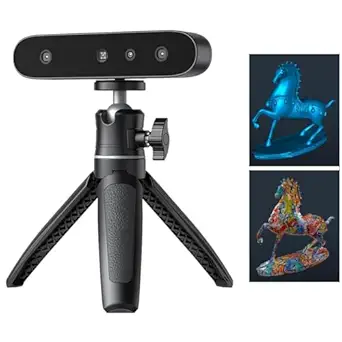
Creality CR-Ferret SE 3D Scanner for 3D Printing
The Creality CR-Ferret SE stands out for its impressive speed of 30FPS and high accuracy of 0.1mm, making it ideal for capturing detailed, full-color textures on sizable objects. Unlike the Raptor, which offers even finer 0.02mm precision but at a higher cost and complexity, the CR-Ferret simplifies color capture with vibrant textures without needing spray or powder on black or metallic surfaces. However, its effectiveness drops on highly reflective or shiny materials, and some setup is required to calibrate for optimal results. This scanner is a strong choice for users needing quick, colorful scans of large objects, particularly where surface material isn’t overly shiny or reflective.
Pros:- Fast scanning speed of 30FPS for efficient workflows
- Vivid full-color texture capture enhances realism
- Optimized for black and metallic objects without spray
Cons:- Less effective on shiny or reflective surfaces
- Requires calibration and setup for best results
Best for: Professionals or hobbyists working with large, colorful objects requiring fast, detailed scans without surface prep.
Not ideal for: Users needing ultra-fine detail on shiny or reflective surfaces, or those working with very small objects needing micron-level accuracy.
- Accuracy:0.1mm
- Resolution:0.16mm
- Scanning Speed:30FPS
- Scanning Range:150mm to 2000mm
- Single Capture Range:560*820mm
- Color Camera:2MP
Our verdict“This model is best suited for users needing quick, vibrant, large-object scans with moderate detail.”
3DMakerpro 3D Scanner for 3D Printing, Handheld High-Precision Model Scanner with AI Tracking
The 3DMakerpro Moose offers exceptional precision with 0.03mm accuracy, surpassing the CR-Ferret’s 0.1mm, making it suitable for detailed modeling of intricate objects. Its AI visual tracking allows for smooth, markerless scans, a feature not present in the other options, and provides flexibility across various lighting conditions. While its high accuracy is attractive, it comes with a tradeoff: the device is limited to Windows and MacOS, and optional accessories are needed for mobile connectivity. This pick makes the most sense for professionals or enthusiasts who prioritize detailed, high-precision scans and are comfortable with some setup complexity.
Pros:- Outstanding 0.03mm accuracy for detailed models
- AI tracking enables smooth, markerless scanning
- Supports dark environments with adjustable lighting
Cons:- Limited to Windows and MacOS; no mobile support
- Requires optional accessories for connectivity
Best for: Advanced users or professionals needing meticulous detail on complex objects and willing to manage setup and system requirements.
Not ideal for: Beginners or casual hobbyists who prefer plug-and-play solutions or work on smartphones and tablets.
- Accuracy:0.03mm
- Resolution:0.07mm
- Scan Depth:100mm
- Light Technology:Blue light
- Supported Systems:Windows 10/11, MacOS
- Item Weight:1.61 pounds
Our verdict“This scanner is ideal for experts demanding ultra-high precision and flexibility in challenging lighting conditions.”
Creality 3D Scanner CR-Scan Ferret Pro for 3D Printing with Wireless Handheld Scanning
The CR-Scan Ferret Pro is designed for ease of use and portability, making it a strong choice for hobbyists and enthusiasts. Its wireless connectivity and comprehensive accessory kit enable flexible scanning of objects from 50mm to 2000mm, capturing full-color models with 0.1mm accuracy. Compared to the more industrial Raptor, this scanner prioritizes user-friendliness and mobility, though it sacrifices some precision and may struggle with very tiny or highly reflective surfaces. Its compatibility across multiple platforms (Windows, macOS, Android, iOS) and inclusion of accessories make it highly adaptable. However, outdoor light conditions and dark surfaces can affect performance, so users should consider their typical environment.
Pros:- Wireless, portable design for on-the-go scanning
- Full-color, high-precision 0.1mm results
- Compatible with multiple platforms and included accessories
Cons:- Not suitable for very small or intricate objects
- Performance affected by reflective surfaces and outdoor lighting
Best for: Enthusiasts or professionals who want a portable, easy-to-use scanner for a variety of objects without needing industrial-grade precision.
Not ideal for: Users scanning very tiny or highly detailed items like jewelry, or those requiring ultra-high accuracy for engineering purposes.
- Accuracy:0.1mm
- Color Depth:24-bit
- Object Size Range:50mm to 2000mm
- Weight:105g
- Connectivity:WiFi 6
- Supported OS:Windows, macOS, Android, iOS
Our verdict“This scanner offers a balanced mix of portability and quality for casual and semi-professional users who need versatile scanning capabilities.”
3DMakerpro Fox 3D Scanner, 0.07mm Accuracy, Entry-Level for Small to Large Objects
The 3DMakerpro Fox offers a practical balance of accuracy and affordability, utilizing NIR technology to achieve 0.07mm precision. Its markerless tracking and anti-shake features simplify setup, making it suitable for STEM education, DIY prototyping, and small business use. Compared with the high-end models like the Raptor or the 3DMakerpro Moose, the Fox is more accessible but requires a bit of learning to optimize results. Its size range from 40mm to 1200mm makes it versatile for many projects, though mastering its workflow involves patience and some technical skill.
Pros:- Good accuracy of 0.07mm for detailed small-to-medium objects
- Markerless tracking reduces setup complexity
- Supports multiple export formats like OBJ, STL, PLY
Cons:- Requires technical knowledge and learning curve
- Performance depends on a capable PC with a GPU
Best for: Educational institutions, hobbyists, or small businesses needing reliable, detailed scans within a manageable size range.
Not ideal for: Professional industrial applications requiring ultra-high precision or users seeking plug-and-play simplicity without a learning curve.
- Accuracy:0.07mm
- Object Size Range:40mm to 1200mm
- Working Distance:150–400mm
- Software:JMStudio
- Supported Export Formats:OBJ, STL, PLY, ASC
- Item Dimensions:4.53 x 2.76 x 1.38 inches
Our verdict“This entry-level scanner is well-suited for educational, hobbyist, or light professional use where accuracy and ease of use are balanced.”
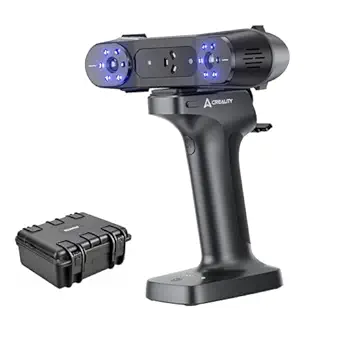
Creality CR-Scan Raptor 3D Scanner, 60fps Blue Laser & NIR, 0.02mm Accuracy, 24-Bit Color, Scans 5-2000mm Objects, Anti-Shake Tracking for Windows & macOS
The Creality CR-Scan Raptor offers astonishing accuracy of 0.02mm and rapid 60fps scanning with blue laser and infrared modes, making it the choice for demanding industrial and creative projects. Its capability to scan objects as small as 5mm and as large as 2000mm sets it apart from all others here, providing unmatched versatility in size and detail. Its high-performance specs come with the need for a powerful PC, and safety precautions are necessary due to the blue laser. Compared to the other options, the Raptor delivers professional-grade precision and speed, but at a significantly higher price and complexity, making it less suitable for casual or hobbyist use.
Pros:- Outstanding 0.02mm accuracy for detailed, precise models
- Fast scanning at 60fps for quick throughput
- Wide object size range from tiny to large
Cons:- High system requirements and cost
- Safety precautions due to blue laser
Best for: Industrial professionals, researchers, or advanced creators needing ultra-precise, fast, large-scale scans with minimal compromise.
Not ideal for: Casual users or hobbyists who do not have access to high-end computing systems and do not require such extreme accuracy.
- Scanning Speed:60fps
- Accuracy:0.02mm
- Object Size Range:5mm to 2000mm
- Light Technology:Blue laser and NIR
- System Requirements:High-end PC with i7, Nvidia GPU
- Weight:8.48 pounds
Our verdict“This scanner is best for industrial or high-precision applications where speed, detail, and size range are critical, and the user has suitable hardware.”
Creality 3D Scanner Raptor Pro with Scan Bridge Wireless Scanning
The Creality Raptor Pro stands out for its combination of impressive accuracy at 0.02mm and a rapid 60 FPS scan speed, making it ideal for detailed models and complex geometries. Its full-color mapping adds realism, surpassing many competitors like the Revopoint INSPIRE 2 in color quality, but its need for calibration and potential complexity can be challenging for newcomers. Compared to the Creality CR-Scan Ferret Pro, it offers higher accuracy but may require more setup. Wireless connectivity boosts convenience, yet limited info on software compatibility means users might face integration hurdles. This scanner suits professionals or advanced hobbyists who prioritize precision and color fidelity but are comfortable with calibration.
Pros:- Exceptional 0.02mm accuracy suitable for detailed craftsmanship
- Fast 60 FPS scanning speed for efficient workflows
- Supports full-color detailed mapping for realistic models
- Wireless connectivity adds convenience
Cons:- Calibration can be complex and time-consuming
- Limited info on software compatibility may hinder workflow integration
Best for: Advanced users needing high-precision, full-color 3D scans for detailed modeling or industrial projects
Not ideal for: Beginners or casual hobbyists who prefer plug-and-play devices with minimal calibration
- Accuracy:0.02mm
- Scanning Speed:60 FPS
- Point Rate:660,000 points/sec
- Object Size Range:5mm to 2000mm
- Color Mapping:Yes
- Connectivity:Wireless
Our verdict“This scanner is best suited for professionals demanding high accuracy and vibrant color detail, willing to handle some setup complexity.”
Revopoint INSPIRE 2 3D Scanner for 3D Printing
The Revopoint INSPIRE 2 offers a compelling mix of portability and high-precision scanning, with an accuracy of 0.03mm that rivals larger, more stationary units like the Creality Raptor Pro. Its lightweight design at 190g, dual scanning modes, and support for outdoor lighting up to 20,000 lux make it ideal for on-site scanning, reverse engineering, and digital archiving. However, its software, Revo Design, is sold separately and limited to Windows, which can be a hurdle for some users. While its dual modes improve surface capture, full workflow integration requires additional investment. This pick is perfect for field technicians or digital archivists who need mobility without sacrificing detail.
Pros:- High-precision 0.03mm accuracy with detailed color capture
- Extremely portable at only 190g, ideal for outdoor and field use
- Dual scanning modes enhance versatility for different surfaces
- Wireless connectivity via WiFi 6.0
Cons:- Revo Design software sold separately, adding extra cost
- Limited compatibility to Windows for full software features
Best for: On-the-go professionals and archivists needing high-precision, full-color scans in diverse environments
Not ideal for: Users seeking an all-in-one solution with included software or those on Mac-only systems
- Accuracy:0.03 mm
- Precision:up to 0.05 mm
- Weight:190g
- Lighting Conditions:up to 20,000 lux
- Color Capture:Yes
- Connectivity:WiFi 6.0
Our verdict“This scanner suits mobile professionals needing reliable, high-detail scans in outdoor environments but requires additional software investment.”
EINSTAR 2 Wireless 3D Scanner with Blue Laser and Infrared Light Support
The EINSTAR 2 excels with its rapid 90 fps scanning speed, making it suitable for high-throughput workflows. Its blue laser and infrared light support detailed capture of small to large objects, even on reflective or dark surfaces, which can challenge other scanners like the Creality CR-Scan Ferret Pro. Its support for various materials without spray and wireless portability with a swappable battery offers significant flexibility. However, performance may dip in extremely bright outdoor conditions, and it requires a compatible PC with EXStar Hub software, which could limit some users. This scanner is best for professionals needing speed and material versatility in environments with challenging surfaces.
Pros:- Very fast scanning at up to 90 fps for efficient workflows
- Supports black, reflective, and metallic surfaces without spray
- Wireless with a swappable battery for extended use
- High-resolution detail capture
Cons:- Requires compatible PC and EXStar Hub software
- Battery life may limit long sessions
Best for: Industrial or creative professionals needing quick, high-detail scans of diverse materials in various lighting conditions
Not ideal for: Casual users or those without a compatible PC setup, due to software and hardware requirements
- Laser Type:Blue Laser
- Infrared Light:VCSEL Infrared
- Scanning Speed:Up to 90 fps
- Battery Life:Up to 3 hours
- Supported Markers:3mm, 6mm, 12mm
- Material Compatibility:Black, reflective, metallic
Our verdict“Ideal for high-speed, versatile material scanning in professional settings where speed and flexibility outweigh portability concerns.”
Creality CR-Scan Ferret Pro 3D Scanner for 3D Printing
The Creality CR-Scan Ferret Pro offers a practical handheld solution with 0.1mm accuracy and a 30FPS speed, making it suitable for outdoor scanning where portability matters. Its WiFi6 wireless transmission allows quick data transfer, and anti-shake tracking ensures smoother captures despite hand movement. While its 0.1mm accuracy is less refined than the Raptor Pro or INSPIRE 2, it strikes a balance for users who prioritize mobility and ease of use. Its support for multiple file formats makes it compatible with common 3D printing workflows. However, it may struggle with reflective or transparent surfaces, and its reliance on compatible devices and software can limit immediate out-of-the-box functionality. This model is best for users needing reliable outdoor scans with moderate precision.
Pros:- Good 0.1mm accuracy for general outdoor scanning
- Wireless with WiFi6 for quick data transfer
- Anti-shake tracking for smoother hand-held operation
- Supports multiple file formats
Cons:- Less precise than higher-end models like Raptor Pro
- Performance issues with reflective or transparent surfaces
Best for: Outdoor hobbyists or professionals requiring portable, accurate scans for 3D printing and field projects
Not ideal for: Those needing ultra-high precision or working extensively with transparent materials
- Accuracy:0.1mm
- Resolution:0.16mm
- Frame Rate:30FPS
- Wireless Technology:WiFi6
- Supported File Formats:OBJ, STL, PLY
- Device Weight:2.81 pounds
Our verdict“This scanner is well-suited for outdoor or portable scanning needs where convenience and moderate accuracy are priorities.”
Revopoint INSPIRE 2 3D Scanner for 3D Printing, Handheld, Wireless, Full-Color, Up to 0.03mm Precision
The Revopoint INSPIRE 2 combines portability with high accuracy, offering 0.03mm precision and full-color capture, making it comparable to the Raptor Pro in detail but with a more compact, handheld design. Its lightweight 190g build and dual scanning modes support versatile applications, from reverse engineering to digitizing artwork. However, the need for paid software (Revo Design) and certain compatibility limitations mean it may not suit users seeking an all-in-one package. Its effectiveness on reflective and dark surfaces without spray sets it apart from many competitors. This device is ideal for professionals or advanced hobbyists who need detailed, accurate scans in various environments.
Pros:- High accuracy of 0.03mm with detailed color capture
- Lightweight and highly portable at 190g
- Supports reflective and dark surfaces without spray
- Wireless with dual zoom modes
Cons:- Requires paid software for full CAD workflow
- Some features need extra accessories or software
Best for: Detail-oriented professionals or hobbyists requiring portable, high-accuracy full-color scans for printing or archiving
Not ideal for: Users seeking a device with included software or seamless CAD workflow without additional investment
- Accuracy:0.03 mm
- Precision:0.05 mm
- Weight:190g
- Lighting Conditions:up to 20,000 lux
- Color Capture:Yes
- Optical Zoom:1.5x, 2x
Our verdict“This scanner is perfect for those needing portable, detailed, full-color scans with high accuracy, despite requiring additional software investment.”

How We Picked
The products in this roundup were evaluated based on a combination of performance metrics, usability, build quality, and value. Key factors included scanning accuracy, speed, and versatility—especially for different object sizes and surfaces. We also considered ease of setup, software integration, and portability, since these impact real-world workflows. Products were ranked by how well they balance these factors relative to their price, with a focus on meeting the needs of both professionals and enthusiasts. This approach ensures the top picks offer meaningful advantages over competitors in their respective categories.Factors to Consider When Choosing 3d Scanners
Choosing the right 3D scanner involves more than just looking at specs. You need to consider your intended use, budget, and environment. Some models excel at capturing small, detailed objects, while others are better suited for larger, more complex items. Understanding these broader considerations helps avoid common mistakes, such as overspending on features you don’t need or selecting a scanner incompatible with your workflow.Accuracy and Resolution
High-precision scanners are vital for detailed work like prototyping or reverse engineering, but they often come at a premium. Lower-cost options may be sufficient for hobbyist projects or less detailed scanning. Be aware that accuracy can also depend on object size and surface reflectivity, so choose a device that matches your typical scanning subjects. Remember, the highest resolution isn’t always necessary if your application tolerates some detail loss.
Ease of Use and Software Compatibility
Intuitive interfaces and straightforward setup are crucial, especially if you’re new to 3D scanning. Compatibility with your existing software and operating system can save time and frustration. Some scanners include proprietary apps, while others support common formats and editing tools. Consider whether you need features like automatic alignment, color capture, or post-processing options, which can streamline your workflow and improve results.
Portability and Size
If you plan to scan on the go or in different locations, portability becomes a key concern. Handheld or lightweight models are easier to transport and can handle larger or irregular objects more comfortably. Conversely, desktop scanners often offer greater stability and accuracy but limit mobility. Think about your typical workspace and whether the scanner’s size and weight are manageable for your needs.
Speed and Coverage
The scanning speed influences how long you spend capturing objects. Faster scanners reduce workflow time, especially with multiple or large items. Coverage area also matters; some models have limited field-of-view, requiring multiple scans for larger objects. Balance your need for speed with the detail required, as faster scans may sometimes compromise resolution or require more post-processing.
Price and Future Proofing
While budget constraints are real, investing in a slightly more expensive model can offer better long-term value through improved durability, accuracy, and software updates. Consider whether the scanner supports future upgrades or additional accessories. Remember, the most expensive option isn’t always the best fit; weigh features against your current and anticipated needs to avoid unnecessary expenses.
Frequently Asked Questions
How do I choose between a handheld and a stationary 3D scanner?
Handheld scanners offer greater flexibility and are ideal for scanning larger or complex objects from multiple angles, making them suitable for art, design, or on-site inspections. Stationary scanners, often mounted on a tripod or turntable, provide higher accuracy and resolution for small, detailed items like jewelry or miniatures. Your choice depends on the size of your objects, mobility needs, and the level of detail required.
Is color scanning important, and which models support it?
Color scanning enhances realism and detail, especially for applications like cultural heritage preservation or product visualization. Many mid-range and premium scanners include color capture, but this feature may come at a higher cost. If color fidelity is a priority, look for models explicitly supporting high-quality color mapping, and be aware that some devices prioritize shape accuracy over color detail.
Can I use a 3D scanner for reverse engineering?
Yes, but choose a model with high accuracy and resolution to capture fine details accurately. Reverse engineering often requires precise measurements and surface detail, so investing in a scanner with metrology-grade precision makes sense. Keep in mind that post-processing software may also be necessary to convert scans into CAD models suitable for modifications or manufacturing.
What maintenance do 3D scanners require?
Most scanners require regular cleaning, especially of the optical components and lenses, to prevent dust or smudges from degrading scan quality. Calibration might be needed periodically to maintain accuracy, particularly for high-precision models. Follow the manufacturer’s guidelines for software updates and storage, and ensure you keep the device protected from impacts and extreme environments to prolong its lifespan.
How does object size influence my choice of scanner?
Object size is a critical factor; smaller objects benefit from high-resolution, desktop scanners, while larger objects often require handheld or large-area scanners. Some scanners are capable of capturing a wide range of sizes, but if you regularly scan both tiny and large items, look for a versatile model with adjustable settings. Matching the scanner’s coverage and resolution capabilities to your typical object sizes ensures efficient and accurate results.
Conclusion
For professional, high-accuracy needs, the Revopoint INSPIRE 2 is the top choice, offering exceptional detail and wireless convenience. Budget-conscious users or hobbyists will find the Creality CR-Scan Ferret provides solid performance at a lower price point. Beginners and casual users should consider simpler, user-friendly models with good software support, while those working on large objects or in field conditions benefit from portable options. Ultimately, selecting the right 3D scanner depends on your specific project requirements and budget, but knowing these distinctions will help you make a confident choice.